Most people sign up for Google Drive or iCloud because those services come with the accounts they already use, then never revisit the decision. That’s fine if you have moderate needs and don’t care about privacy or vendor lock-in. If either of those things matter — or you’ve outgrown the free 15GB — the alternatives below are worth actually evaluating. If you want the full context, see our Best Software and Apps.
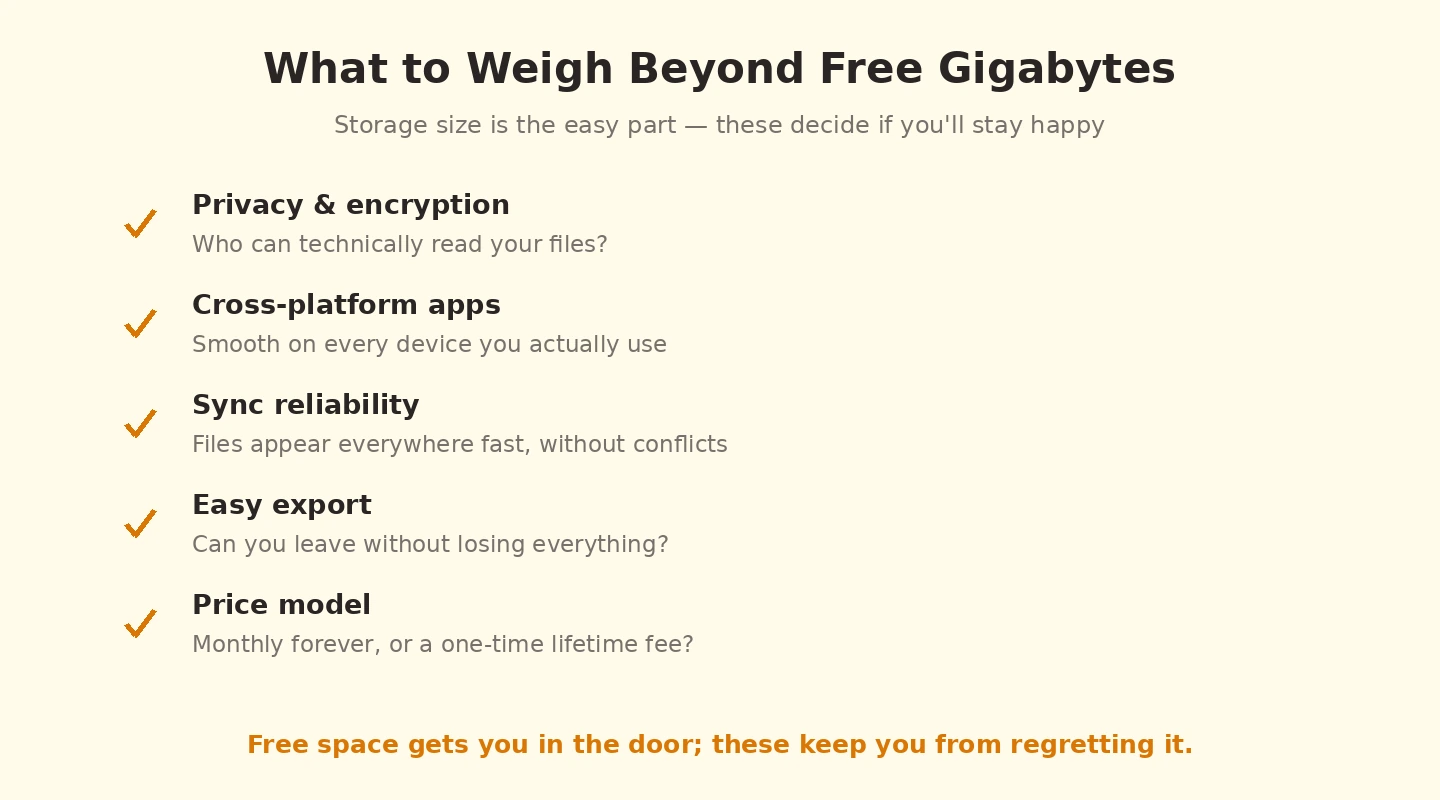
The quick recommendations by use case: iCloud Drive if you’re fully in the Apple ecosystem (the integration is unmatched). Dropbox if reliability across every platform is the priority. Proton Drive if you need end-to-end encryption and zero-knowledge privacy. pCloud if you want a lifetime payment option instead of a subscription. OneDrive if you’re a Microsoft 365 subscriber (1TB is included). Google Drive remains the right pick if you live in Gmail and Google Docs and don’t mind Google having access to your files.
The detailed comparison covers each by use case, pricing, and where it falls short. Skip to whichever section matches your situation rather than reading sequentially.
Best Cloud Storage for Personal Use: Google One (Google Drive)
Google One (15 GB free; 100 GB from £1.59/month) is the cloud storage I recommend most often for people who are already in the Google ecosystem — Gmail users in particular are often unaware that the 15 GB free storage is shared between Drive, Gmail, and Google Photos, and that the free tier fills up faster than expected once photos start being backed up at original quality. The Google Workspace integration is the standout advantage: files created in Google Docs, Sheets, and Slides do not count against your storage quota, which extends the free tier’s practical life significantly for anyone doing document work in Google’s tools.Google Photos is the most sophisticated photo management system available in any cloud storage service — the AI-powered search and face recognition that lets you search “beach 2023” or find every photo of a specific person is genuinely impressive and has no real equivalent in other services. If photos are your primary reason for cloud storage, Google One’s photo capability is a meaningful advantage. The 100 GB tier at £1.59/month is the most cost-effective personal cloud storage option for most people.Best Cloud Storage for Personal Use: Microsoft OneDrive
OneDrive (5 GB free; 100 GB from £1.99/month; 1 TB included with Microsoft 365 Personal from £5.99/month) is the natural choice for Windows users, and I have found it to be the most seamless cloud storage experience on Windows 11 — Files On-Demand, which lets you see and access cloud files in File Explorer without downloading them, works more reliably on Windows than Dropbox’s or Google Drive’s equivalent. The integration with Microsoft Office means Word, Excel, and PowerPoint files open directly from OneDrive with autosave, and the version history is accessible from within the Office apps themselves.The compelling value proposition: Microsoft 365 Personal at £5.99/month includes 1 TB of OneDrive storage alongside the full Office suite. For anyone who would pay for Word and Excel anyway, the 1 TB of OneDrive is essentially included at no extra cost. If you are evaluating cloud storage in isolation without the Office apps, OneDrive is competitive but not clearly superior to Google One at comparable price points.Best Cloud Storage for Personal Use: Dropbox
Dropbox (2 GB free — the most restrictive free tier of any major cloud storage; Plus from £9.99/month) is the cloud storage service that pioneered the synced folder model and still does it better than anyone else on reliability and speed. The selective sync, file transfer speeds, and cross-platform consistency across Windows, Mac, iOS, and Android are the best I have tested. The Smart Sync feature keeps large files online-only while keeping placeholders in the local folder — useful for large media files or project archives you need access to occasionally but not locally.The honest downside: the free tier at 2 GB is so small it is essentially unusable for anything meaningful, and the Plus tier at £9.99/month for 2 TB is significantly more expensive than Google One at £2.49/month for 200 GB or Microsoft 365 Personal’s 1 TB at £5.99/month. Dropbox makes the most sense for people who specifically need its best-in-class sync reliability and cross-platform consistency, or for teams using Dropbox Business features. For individual personal use, Google One or OneDrive deliver better value.Best Cloud Storage for Personal Use: iCloud Drive
iCloud Drive (5 GB free; 50 GB from £0.79/month) is the right choice for people whose primary devices are iPhone and iPad and who also use Windows. The 50 GB tier at £0.79/month is the cheapest paid cloud storage tier from any major provider, which is compelling for light users who just need reliable iPhone backup and modest file sync. On Windows, the iCloud for Windows app has improved significantly in recent years and works reasonably well, though it is not as seamless as OneDrive on Windows.The limitation: iCloud Drive is weakest for people who primarily work on Windows or Android, and its document management features are less developed than Google Drive’s or OneDrive’s. For iPhone-primary users, it is the natural and often cheapest option. For Windows-primary users with an iPhone, the question is whether you want your primary cloud storage to be phone-centric (iCloud) or desktop-centric (OneDrive or Google Drive).Best Cloud Storage for Personal Use: pCloud
pCloud (10 GB free; lifetime plans from €199 for 500 GB) is the cloud storage I recommend for people who are uncomfortable with ongoing monthly subscriptions and willing to pay a larger one-time cost for permanent storage. The lifetime plan model — pay once, keep the storage indefinitely — has a break-even point of roughly two years compared to Google One’s pricing. For people who will use cloud storage long-term and want to eliminate the subscription, pCloud’s lifetime plans are genuinely good value. The European data centres and Swiss privacy commitment are meaningful for users with privacy concerns about US-based providers.| Service | Free Storage | Cheapest Paid | Best For |
|---|---|---|---|
| Google One | 15 GB | £1.59/month (100 GB) | Google ecosystem users; photo management |
| OneDrive | 5 GB | £1.99/month (100 GB) or £5.99/month (1 TB + Office) | Windows users; Microsoft 365 subscribers |
| Dropbox | 2 GB | £9.99/month (2 TB) | Best-in-class sync reliability; cross-platform consistency |
| iCloud Drive | 5 GB | £0.79/month (50 GB) | iPhone-primary users; Apple ecosystem |
| pCloud | 10 GB | €199 one-time (500 GB lifetime) | Avoiding subscriptions; European data residency |
iCloud Drive — best for full Apple ecosystem
If you use a Mac, iPhone, and iPad together, iCloud Drive’s integration is genuinely impossible to match. Files sync seamlessly across all your Apple devices, the Files app on iOS treats it as native storage, and macOS shows iCloud files in Finder without distinguishing them from local.

Pricing: 5GB free (notably stingy), iCloud+ tiers at 50GB ($0.99/mo), 200GB ($2.99/mo), 2TB ($9.99/mo), 6TB ($29.99/mo), 12TB ($59.99/mo). Family Sharing lets you split a 2TB or larger plan across 6 family members.
Strengths: Best-in-class Apple ecosystem integration, includes Hide My Email and Private Relay on paid tiers, automatic backup for iOS devices, decent Windows app if you have a mixed setup.
Weaknesses: Sharing files with non-Apple users is awkward, Windows app is functional but limited, web interface is the weakest of the major services, support quality is hit or miss compared to dedicated cloud services.
Dropbox — best cross-platform reliability
Dropbox was the original modern cloud storage service and remains the gold standard for cross-platform sync. Works equally well on Windows, Mac, Linux, iOS, Android, and through the web.
Pricing: 2GB free (also stingy), Plus is $9.99/mo for 2TB, Family is $16.99/mo for 2TB shared among 6 users, Professional is $16.58/mo for 3TB with extra features.

Strengths: Most reliable sync of any service tested, broad third-party integration (Microsoft Office, Slack, Zoom, etc.), Smart Sync lets you free up disk space while keeping files accessible, mature versioning and recovery.
Weaknesses: More expensive than alternatives per GB, free tier is small, the desktop client has had increasing memory usage in recent versions.
Proton Drive — best for privacy
Proton (the team behind Proton Mail) added Drive as part of their privacy-focused suite. Everything is end-to-end encrypted with zero-knowledge architecture — Proton genuinely cannot see your files. The keys are derived from your password and stored only on your devices.
Pricing: 5GB free, Drive Plus at €4.99/mo for 200GB, Proton Unlimited at €12.99/mo for 500GB plus Mail, VPN, Pass, and Calendar.
Strengths: Genuine end-to-end encryption (the only major provider with zero-knowledge for all files), Switzerland-based with strong privacy laws, integrated with Proton’s other privacy tools, transparent open-source clients.
Weaknesses: Slower sync performance than Dropbox (encryption overhead), smaller app ecosystem, sharing files with non-Proton users requires more steps.
pCloud — best lifetime payment option
pCloud’s distinguishing feature: lifetime plans. Pay once, use forever. For people who hate subscriptions and plan to use cloud storage for many years, the math works out — pCloud’s 2TB lifetime at around $400 is usually cheaper than 5 years of Dropbox.
Pricing: 10GB free, lifetime plans available at 500GB ($199), 2TB ($399), 10TB ($1,190). Subscriptions also available.
Strengths: Lifetime plans save money long-term, optional pCloud Crypto adds end-to-end encryption to a specific folder (extra cost), Swiss-based, supports virtual drives that don’t consume local space.
Weaknesses: Smaller third-party integration ecosystem than Dropbox, sharing and collaboration features less polished, lifetime plan trust requires confidence that pCloud will keep operating.
OneDrive — best if you have Microsoft 365
OneDrive is automatically included with Microsoft 365 subscriptions — Personal plans get 1TB, Family plans get 1TB per user (up to 6 users). If you’re paying for Microsoft 365 already, OneDrive is the cheapest 1TB cloud storage available.
Pricing: 5GB free standalone, 100GB at $1.99/mo, included with Microsoft 365 Personal ($69.99/year for 1TB), Microsoft 365 Family ($99.99/year for up to 6TB total).
Strengths: Excellent value when bundled with Microsoft 365, deep Office app integration, Files On-Demand keeps files accessible without using local space, Personal Vault provides extra-secured folder, mature ransomware detection.
Weaknesses: Standalone tier is uncompetitive — only buy if you’d use the bundled Microsoft 365 anyway, sync issues with files containing certain characters or in long path names, weaker Linux support.
Google Drive — when to actually use it
Google Drive is good — the integration with Google Docs, Sheets, and Slides is the best collaborative editing experience available, and 15GB free is the most generous free tier. The right pick if you live in Gmail and Google Workspace and don’t have privacy concerns about Google scanning files.
Pricing: 15GB free (shared with Gmail and Photos), 100GB at $1.99/mo, 2TB at $9.99/mo (Google One Premium), Google Workspace business plans include more.
Best for: Users heavily invested in Google ecosystem who collaborate frequently on Docs/Sheets and don’t have specific privacy requirements.
How much cloud storage do most people actually need?
For someone using cloud storage for documents, photos from a phone, and occasional media: 100-200GB is usually plenty. For someone storing a full photo library, raw photos from a camera, or video files: 1-2TB is more realistic. For most people, starting with 200GB and upgrading if needed is more economical than overpaying for 2TB you’ll never fill.
Is iCloud or Google Drive safer?
Both are safe in the sense that data loss is extremely rare and both use encryption in transit and at rest. Neither offers end-to-end encryption by default, which means both companies can technically access your files (Apple’s Advanced Data Protection adds E2EE if you enable it). For truly private storage, neither is the right choice — Proton Drive or Tresorit (not covered here) is the answer.
Can I use multiple cloud storage services at once?
Yes, and many people should. The most common pattern: one service for documents (Dropbox), one for photos (Apple Photos or Google Photos), and one for archived backups (pCloud or Backblaze). They don’t conflict and using each for what it’s best at usually works out cheaper than paying for one service to cover everything.
What happens if my cloud storage company goes out of business?
Major providers (Apple, Google, Microsoft, Dropbox) are stable enough that this isn’t a practical concern. Smaller providers have shut down — Crashplan Home was the most notable recent example, giving users 60 days to migrate. The safeguard: don’t store anything in cloud storage that doesn’t also exist as a local backup. Cloud is convenience and access, not a substitute for proper backup.
Is end-to-end encryption worth the speed cost?
If you store sensitive information (financial records, personal photos you wouldn’t want a stranger seeing, business documents): yes. The speed difference between Proton Drive and Dropbox is real but not dramatic — uploads are 30-50% slower at worst. For everyday convenience storage where speed matters more than privacy, regular services are fine.
Should I trust cloud storage with my only copy of important files?
No, ever. The 3-2-1 backup rule applies: 3 copies, 2 different media types, 1 offsite. Cloud storage is the offsite copy. Important files should also exist on your local device AND on an external drive (or a second cloud service). Single-copy strategies have lost data — sometimes through user error syncing destructive deletions, occasionally through account access issues. See also iCloud vs Google Drive for a related case.