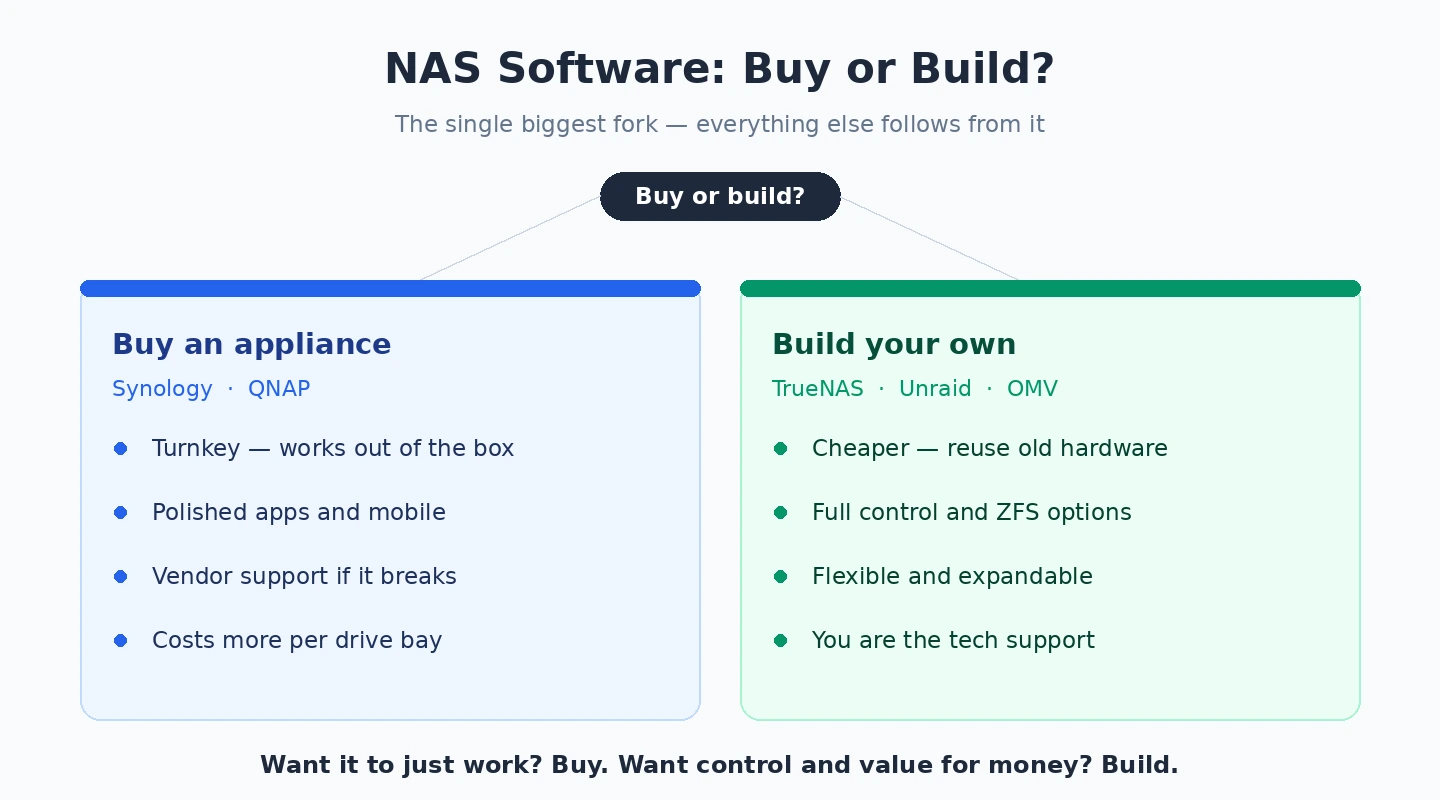
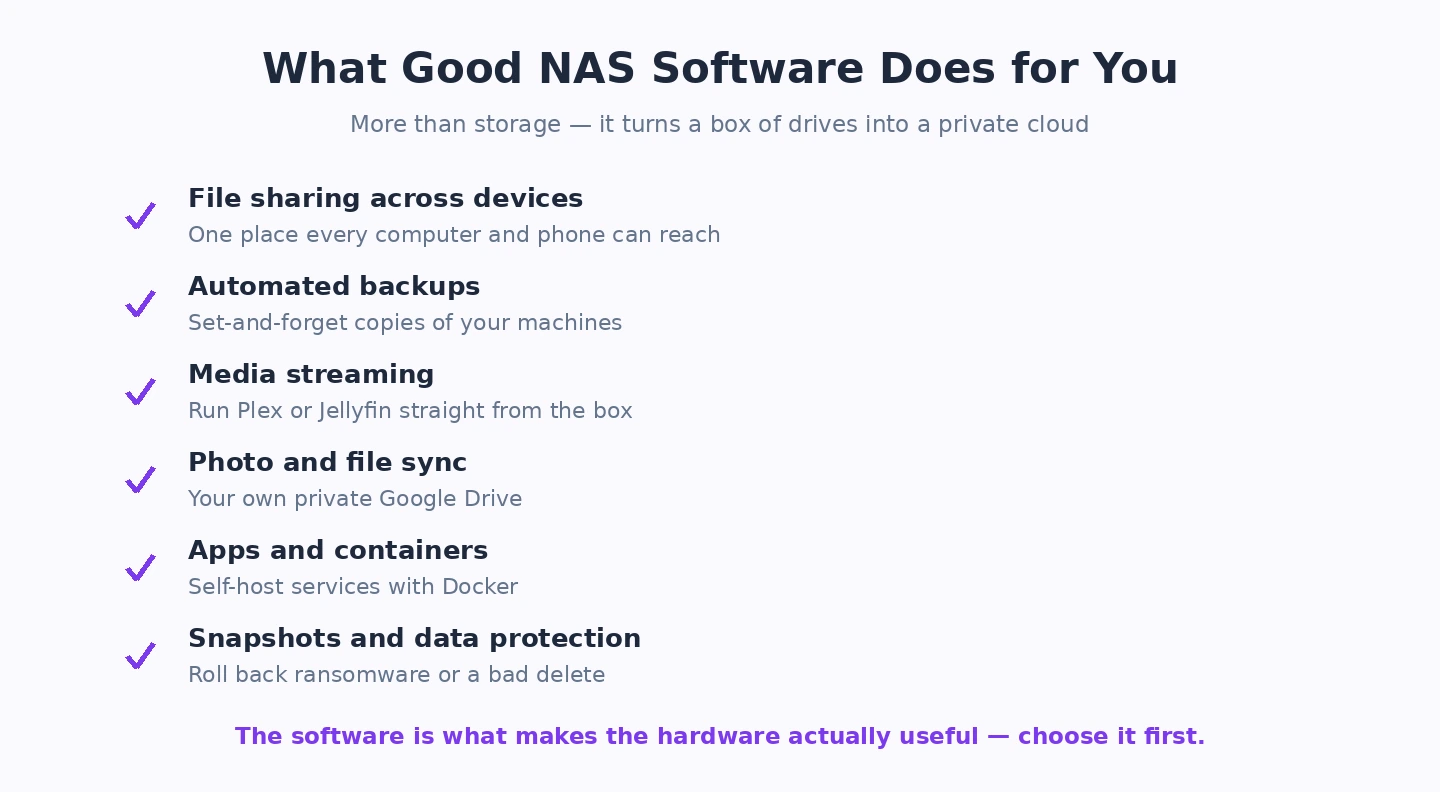
NAS software is what turns a box of hard drives into actual useful storage — file sharing, backup, media streaming, sync, the things you actually want from network storage. The right choice depends heavily on whether you’re buying a pre-built NAS appliance (Synology, QNAP) or building your own (TrueNAS, UnRAID, OpenMediaVault). This fits into the wider topic we cover in our Best Software and Apps.
For pre-built NAS appliances: Synology DSM is the most polished, with the best app ecosystem and the lowest learning curve. QNAP QTS is more flexible and has better hardware-to-price ratios but the UI is less refined. For DIY NAS builds: TrueNAS Scale is the most capable free option but has a learning curve, UnRAID is paid but more beginner-friendly, and OpenMediaVault sits between them — free but more approachable than TrueNAS.
The detailed comparison covers each by use case below. Skip to the section that matches your situation rather than reading sequentially — the right NAS software depends almost entirely on whether you’re buying an appliance or building your own, and what you’ll actually use it for.
Best NAS Software: Synology DiskStation Manager (DSM)
Synology DSM (included with Synology hardware; synology.com) is the NAS operating system I recommend most confidently for home users, small businesses, and anyone who values ease of use alongside powerful features. The web-based interface — which resembles a desktop operating system with a taskbar, application windows, and a file manager — is more intuitive than any other NAS operating system available. Setting up a shared folder, configuring user permissions, enabling Plex Media Server, creating a Snapshot Replication schedule, and configuring the integrated VPN server are all achievable through the GUI without touching a command line. Synology’s Package Centre provides hundreds of applications installable with one click — Plex, Jellyfin, Docker, the Synology Photos app, Synology Drive (a self-hosted Google Drive alternative), Surveillance Station for camera footage, and many more. The Synology Photos app specifically, which organises photos by face recognition and date, has replaced Google Photos for many Synology users who want their photo library self-hosted rather than cloud-dependent. DSM is proprietary — it only runs on Synology hardware — but the hardware quality and the software quality together make Synology the most complete NAS solution available.Best NAS Software: TrueNAS SCALE
TrueNAS SCALE (free, open source; truenas.com) is the NAS operating system for users who prioritise data integrity and storage enterprise features — the ZFS file system, which TrueNAS is built on, provides checksumming, snapshots, replication, and data integrity verification that consumer file systems do not offer. If data loss prevention is the primary concern, ZFS’s ability to detect and correct silent data corruption (bitrot) — where storage media degrades data without the operating system knowing — is a genuinely important feature that makes TrueNAS appropriate for archival storage of irreplaceable data. TrueNAS SCALE (the Linux-based version, replacing the older FreeBSD-based TrueNAS CORE) adds Docker and Kubernetes support alongside the storage features, making it capable of running containerised applications — media servers, home automation, network monitoring — on the NAS hardware. The interface is functional but less polished than Synology’s and the configuration is more technical. For users who are comfortable with Linux and want maximum storage reliability at no software cost, TrueNAS is the strongest option.Best NAS Software: Unraid
Unraid ($59–$129 one-time licence depending on drive count; unraid.net) is the NAS operating system most popular among home server enthusiasts specifically because of its flexible storage model — unlike RAID systems that require all drives to be the same size, Unraid allows mixing drives of any size and replacing them one at a time. Add a 4 TB drive, later add a 10 TB drive, later replace the 4 TB with an 8 TB — Unraid handles this where traditional RAID does not. The Docker application support and the VM capability make Unraid a full home server that runs containers and virtual machines alongside the NAS storage function. Unraid’s popularity in the home server community is also reflected in its ecosystem — a large community of guides, plugins, and Docker container templates for virtually every self-hosted application make getting things running faster than on platforms with smaller communities. The licence is one-time rather than recurring, and the USB-boot model (Unraid runs from a USB drive rather than installing to a storage drive) is unconventional but simplifies hardware upgrades. For enthusiast home server builders who want maximum flexibility and a vibrant community, Unraid is the most popular choice.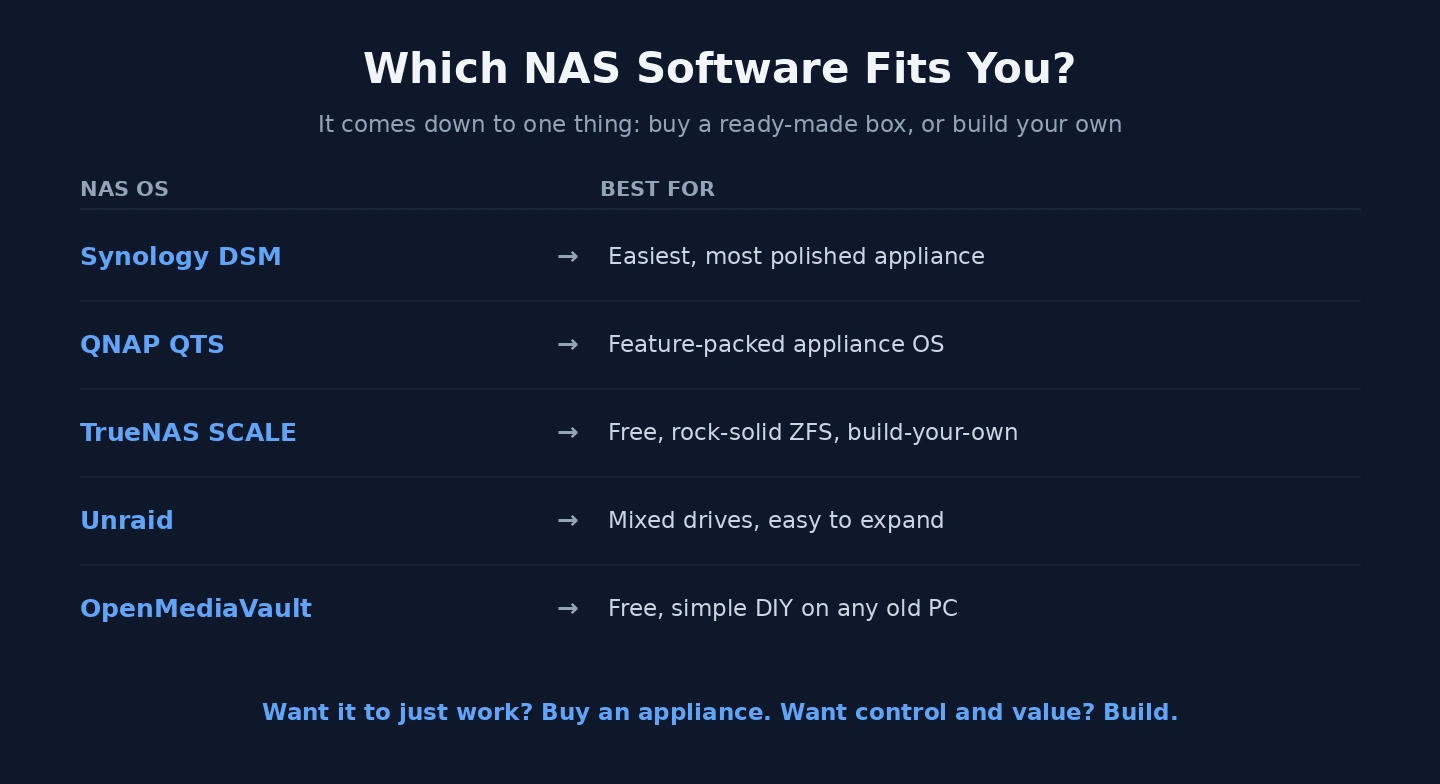
Best NAS Software: QNAP QTS
QNAP QTS (included with QNAP hardware; qnap.com) is the Synology DSM equivalent for QNAP hardware — a full-featured GUI-based NAS operating system with similar application installation, user management, and service configuration capability. The App Center provides applications comparable to Synology’s Package Centre. QNAP has historically been stronger on multimedia features and has pioneered some hardware capabilities (Thunderbolt NAS, high-performance networking) before Synology adopted them. The choice between QNAP QTS and Synology DSM is largely a choice between the hardware manufacturers — both provide capable, well-maintained NAS operating systems. Synology’s software polish and documentation quality are slightly ahead in my experience; QNAP’s hardware specifications at equivalent price points are sometimes more generous. For users choosing new NAS hardware, compare both manufacturers at your budget point before committing.| Software | Cost | Hardware | Best For |
|---|---|---|---|
| Synology DSM | Included with Synology NAS | Synology only | Best ease of use; complete ecosystem; home and SME |
| TrueNAS SCALE | Free | Any compatible hardware | Maximum data integrity; ZFS; technical users |
| Unraid | $59–$129 one-time | Any x86 hardware | Home server enthusiasts; mixed drive sizes; Docker + VMs |
| QNAP QTS | Included with QNAP NAS | QNAP only | Synology alternative; sometimes better hardware specs |
Synology DSM (DiskStation Manager)
DSM runs on Synology NAS appliances — you don’t install it on generic hardware. It’s the best NAS software for people who want network storage to just work without significant time investment. The interface feels like a polished web-based desktop with apps for file sharing, photo management, video streaming, surveillance, backup, sync, and more.
Strengths: Easy initial setup (15-30 minutes for basic file sharing), large catalogue of well-built apps, excellent mobile app ecosystem, regular security updates, and strong integration with Synology’s own software (Active Backup for Business, Synology Drive, Surveillance Station).
Weaknesses: Synology hardware is expensive relative to its CPU/RAM specs, you’re locked into Synology’s ecosystem, recent generation hardware has reduced CPU power compared to older models, and some advanced features require specific (more expensive) hardware tiers.
Best for: Home users and small businesses where reliability and ease of use are more important than raw cost or hardware flexibility. The DS920+ or DS923+ are the most commonly recommended starting points.
QNAP QTS / QuTS hero
QNAP’s NAS software runs on QNAP appliances. QTS is the standard version; QuTS hero uses ZFS for advanced features. QNAP hardware tends to offer more CPU/RAM/expansion at lower prices than equivalent Synology models, making it appealing to users with specific performance needs.
Strengths: Better hardware-to-price ratio than Synology, broader expandability (more drive bays per dollar, PCIe slots on many models), more flexibility in apps and customisation.
Weaknesses: The UI is less polished than DSM, the app ecosystem is broad but uneven in quality, and QNAP has had significant security incidents (the Deadbolt ransomware attacks) — exposing QNAP to the internet directly requires more care than Synology.
Best for: Users who want more hardware for their money and are comfortable with a slightly rougher experience. Keep QNAP off the public internet (use VPN for remote access instead of QNAP’s myQNAPcloud).
TrueNAS Scale (free)
TrueNAS Scale is the modern Linux-based version of FreeNAS, free and open source. You install it on your own hardware — old PCs, dedicated NAS builds, or VMs. It uses ZFS, which provides enterprise-grade data integrity features (checksumming, snapshots, replication).
Strengths: Free, runs on any modern x86 hardware, ZFS reliability, supports containerised apps via Docker/Kubernetes, large active community, no licensing cost regardless of storage size.
Weaknesses: Steeper learning curve than DSM/QTS, requires ECC RAM for ZFS’s full benefits (more expensive hardware), web UI is functional but less polished than commercial NAS software, you handle your own support.
Best for: Users with existing server hardware who want maximum capability for zero software cost, and who are comfortable with Linux administration concepts.
UnRAID (paid, license per server)
UnRAID is paid software ($59-$129 lifetime license per server depending on tier) that runs on your own hardware. Unlike traditional RAID, UnRAID lets you mix drive sizes and add drives one at a time, which is appealing for gradual storage expansion.
Strengths: Excellent for mixed-size drives, easy to expand storage over time, runs Docker containers natively for self-hosted apps (Plex, Nextcloud, etc.), good community support, easier learning curve than TrueNAS for beginners.
Weaknesses: Costs money (unlike TrueNAS), parity protection is slower than RAID for some workloads, not ideal for high-throughput write workloads.
Best for: Home users who want to gradually expand storage, host self-hosted apps via Docker, and don’t mind paying for ease of use over TrueNAS Scale.
Which to choose — a decision framework
- Want it to just work, willing to pay: Synology — buy hardware and DSM together
- Want better hardware value, accept rougher UI: QNAP
- Have hardware, want zero software cost: TrueNAS Scale
- Want to gradually expand storage, willing to pay for ease: UnRAID
- Want NAS basics on light hardware: OpenMediaVault
What’s the best free NAS software in 2026?
TrueNAS Scale is the most capable free option, with enterprise-grade ZFS storage and broad app support via containers. OpenMediaVault is more beginner-friendly if you don’t need ZFS. Both run on your own hardware. If you want free pre-built NAS, there isn’t really a great option — pre-built NAS appliances all come with their own paid software (Synology DSM, QNAP QTS).
Synology vs QNAP — which is better?
Synology has the more polished software (DSM), better mobile apps, and better security track record. QNAP gives you more hardware per dollar but a rougher UI and a worse security history. For most home users: Synology is the safer recommendation. For users prioritising hardware capability or wanting to run more advanced apps: QNAP. Both are good — neither is dramatically wrong.
Can I build my own NAS instead of buying a pre-built one?
Yes, and you’ll usually get more hardware for your money. The trade-off is time: a pre-built Synology takes 30 minutes to set up; a DIY TrueNAS build takes a weekend if you’re new to it. For users with existing server hardware or who enjoy the project, DIY is excellent. For users who just want network storage, buy a Synology DS923+ and skip the project.
Does NAS software make a meaningful difference?
Yes, more than people expect. Two NAS appliances with identical hardware but different software (e.g., a Synology vs a QNAP with the same drive bays) provide very different experiences. The software determines how easy backup is, how well media streaming works, what mobile apps are available, and how the NAS handles security and updates.
Do I need ECC RAM for a home NAS?
For ZFS-based systems (TrueNAS, QuTS hero): ECC RAM is strongly recommended because ZFS relies on RAM integrity for its data protection. For non-ZFS systems (Synology DSM standard, QTS standard, UnRAID, OpenMediaVault): ECC is nice but not essential for home use. The cost difference (ECC RAM and supporting motherboards) is significant — only worth it if you’re going ZFS.
Can I run Plex/Jellyfin on my NAS?
Yes, and most modern NAS software supports it natively or via Docker. Synology has Plex in its app store, QNAP supports it via Container Station, TrueNAS Scale runs it as a containerised app, UnRAID supports it via Docker. The constraint isn’t the software — it’s hardware. Plex transcoding requires a reasonably modern CPU; older/lower-end NAS appliances struggle to transcode 4K content. You might also run into Best Remote Desktop Software.