The first thing to understand about media server software is that the right pick depends almost entirely on what your media library actually looks like, not on which product has the best feature comparison results. A library of 200 movies and a handful of TV shows is genuinely different from a library of 10,000 carefully organised episodes plus music. A library of files you ripped from your own DVDs over fifteen years is different from a library acquired through means that might attract takedown attention. A library that lives entirely on a NAS at home is different from one spread across multiple drives in various computers. Each of these shapes has a different optimal media server, and recommendations that ignore library shape produce mismatched picks.
The other framing point worth establishing is that media server software primarily solves an organisational and playback problem rather than a content acquisition problem. The software takes media you already have and makes it accessible across your devices with metadata, organisation, and remote playback. It does not source content. Articles that conflate media server discussions with content acquisition methods are addressing different topics and producing confused recommendations as a result.
This guide walks through the major options with the library-shape framing in mind. For broader context on the home media and entertainment software stack, our guide to the best software and apps covers the adjacent categories like video converters and streaming applications.
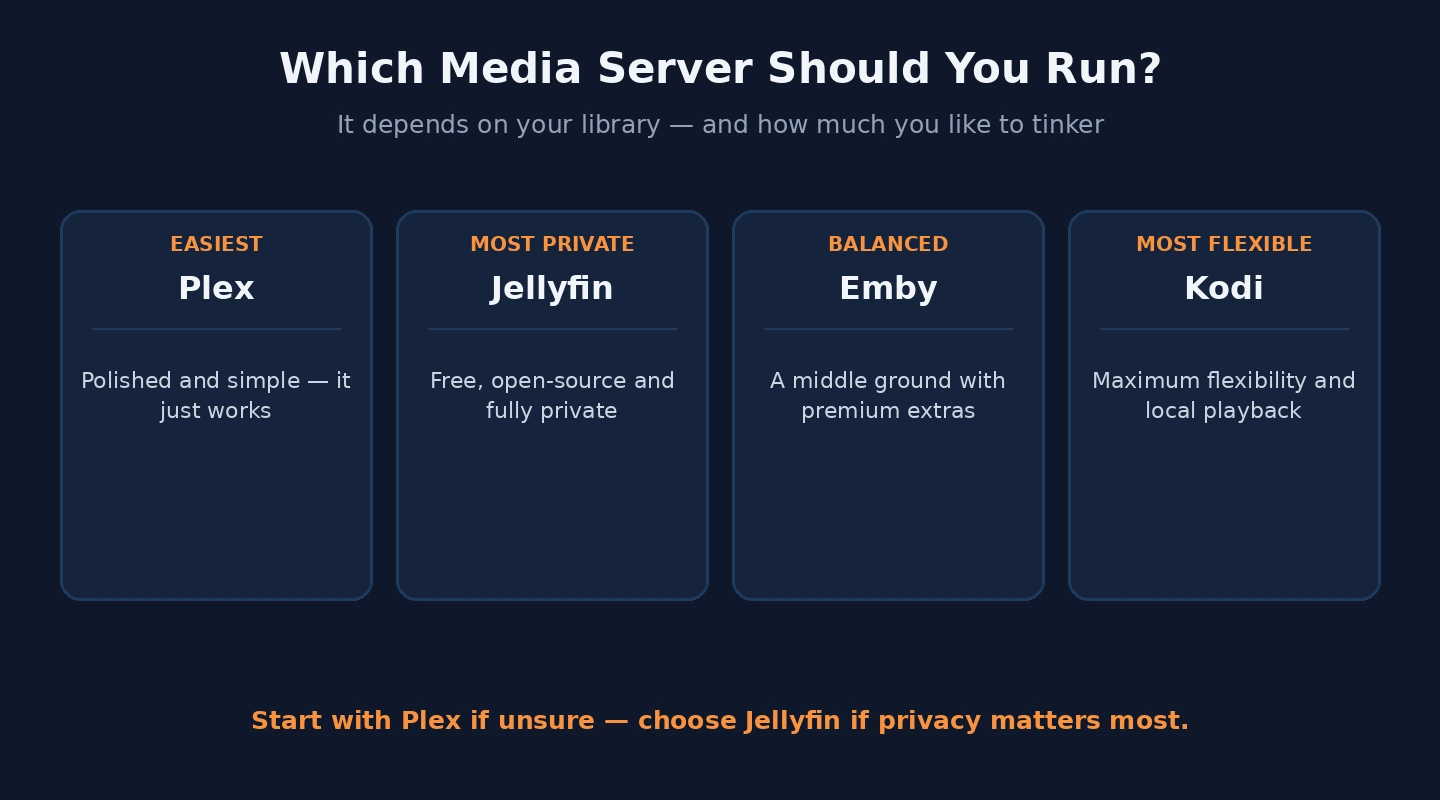
For Most Mainstream Libraries: Plex
Plex (free for local playback, Plex Pass at $5/month, $40/year, or $120 lifetime; plex.tv) is the right media server software for most users with mainstream media libraries — movies, TV shows, music, and possibly photos organised in standard folder structures. The product has been the dominant choice in this category for years, and the dominance reflects genuine product strength rather than just incumbency.
The strengths of Plex for mainstream use are real and substantial. The metadata fetching is excellent — Plex correctly identifies the vast majority of properly-named media files and pulls down posters, plot summaries, cast information, and other organisational data automatically. The client app availability is the broadest in the category, with native applications on smart TVs (Samsung, LG, Sony, Vizio), streaming devices (Roku, Apple TV, Fire TV, Chromecast), gaming consoles (PlayStation, Xbox), phones (iOS, Android), and computers (Windows, macOS, Linux). The remote streaming works through Plex’s relay infrastructure, which means accessing your home library from outside the home does not require firewall configuration or VPN setup.
The Plex Pass subscription unlocks features that matter for serious use — hardware-accelerated transcoding (which matters for multiple simultaneous remote streams), live TV and DVR functionality if you have an over-the-air antenna or supported tuner, mobile sync for offline playback on phones and tablets, and some metadata enhancements. For users who actually use these features, the lifetime Plex Pass at $120 pays back compared to ongoing monthly costs.
The honest concerns with Plex in 2026 are about the company’s strategic direction. Plex has been incorporating advertising-supported content into the interface (the “Plex” tab that promotes free-with-ads content alongside your personal library), pushing rental and purchase features through partnerships, and generally expanding beyond the pure personal-media-server role. For users who specifically want a tool focused on their own library without commercial features mixed in, this direction is unwelcome.
The case for Plex remains the broad client support and metadata quality, even as the company evolves in directions some users dislike. For most users with mainstream libraries who want the easiest path to a working media server, Plex remains the default recommendation.
For Privacy-Focused or Self-Hosted Approach: Jellyfin
Jellyfin (free, open-source; jellyfin.org) is the right media server software for users who specifically want open-source software without commercial features, who do not want their media metadata or usage information passing through third-party infrastructure, or who want self-hosted media without dependency on a vendor’s continued operation.
Jellyfin began as a fork of the older Emby media server when that project moved to a less open licensing model. The community has actively maintained Jellyfin since, producing a credible alternative to Plex with the specific positioning of being entirely self-hosted with no telemetry to external services.
The strengths of Jellyfin specifically are real for the right user. The complete absence of commercial features means no ads, no rental promotion, no “discover this content” pushes. The self-hosted architecture means your library, viewing history, and account information stay entirely on your own infrastructure. The active development community means the product evolves based on user feedback rather than vendor strategic decisions.
The realistic gaps compared to Plex are also honest. Client app availability is narrower — Jellyfin clients exist for major platforms but the smart TV ecosystem coverage is less comprehensive than Plex’s. The metadata fetching is competent but occasionally requires more manual intervention for unusual files. Remote streaming requires you to configure your own networking (port forwarding or reverse proxy) rather than using vendor-relay infrastructure as Plex does.
The case for Jellyfin is when the open-source positioning matters specifically, when you have the technical capability to handle the slightly more involved setup, and when avoiding any third-party dependency for your media access is genuinely valuable. For these users, Jellyfin is excellent. For users who would otherwise rely on someone technically inclined to set it up and maintain it, the operational complexity may exceed the benefit. Our cloud storage for business comparison covers a related category where similar self-hosted versus vendor-hosted considerations apply.
For Specific Media Library Patterns: Emby
Emby (free tier with limited features, Emby Premiere at $5/month, $54/year, or $119 lifetime; emby.media) sits between Plex and Jellyfin in feature positioning and business model. The product is commercial but with a less aggressive monetisation approach than Plex, and the feature set is genuinely competitive with both alternatives.
The case for Emby specifically is in the narrow space where you want some commercial polish (Plex-style ease of setup and broad client support) but with less commercial content promotion than Plex pushes, or where specific Emby features (such as parental controls, library sharing with specific permission levels, or particular metadata handling) matter for your use case.
The honest framing is that Emby occupies a middle ground that fewer users specifically need than the more clearly differentiated alternatives. Plex serves the “want it to just work” audience well; Jellyfin serves the “want open source” audience well. Emby is “almost Plex but commercially calmer” which is a real positioning but not one that wins on either dimension against the specialists.
For users who have specifically evaluated Plex and Jellyfin and found neither fits, Emby is the credible third option. For users picking from a general “best media server” comparison, the more differentiated alternatives are usually the better starting point.
For Maximum Flexibility and Configurability: Kodi
Kodi (free, open-source; kodi.tv) is the media server software for users who prioritise maximum flexibility and customisation over ease of setup. The product is technically more of a media center application than a pure server (it focuses on playback and library management on the device where it runs rather than serving streams to remote clients), though it can be configured to share libraries across devices through various add-ons.
The strengths of Kodi are concentrated in the customisation. Skins (themes) can substantially change the appearance and behaviour. Add-ons extend functionality in directions the core product does not address. The setup can be tuned for specific use cases (a media center built specifically for music with appropriate library organisation, for example, or one configured for kids with appropriate restrictions).
The honest concerns with Kodi are about the broader add-on ecosystem. While the core Kodi project is legitimate and the official add-ons are fine, the unofficial add-on ecosystem includes many that facilitate access to content of questionable legality. Kodi-the-software is genuinely separate from the practices that some Kodi users engage in, but the association is real enough that some commercial smart TVs have specifically restricted Kodi installation in response to legal pressures from content owners.
The case for Kodi specifically is for users who want the customisation depth, who are willing to invest the time in setup and configuration that the product expects, and who are not primarily looking for cross-device remote streaming (which Plex and Jellyfin handle more directly). For users who want a “media center” rather than a “media server,” Kodi is genuinely the right pick.

For Large, Carefully-Organised Libraries: Specific Considerations
Users with substantial well-organised libraries (multiple terabytes, thousands of files, careful folder structures) have specific considerations beyond which product to pick.
Storage architecture matters substantially. A library on a single drive in your media server PC is operationally simple but fragile. A library on a NAS (Synology, QNAP, custom-built) provides better protection against drive failure and lets you upgrade storage incrementally. A library spread across multiple drives requires a way to present them as a unified library (Windows Storage Spaces, Linux ZFS or btrfs, NAS-specific RAID configurations) which adds complexity but enables larger total capacity. Our online storage for photos comparison covers the related question of cloud storage that might supplement local libraries, particularly for the irreplaceable personal media that benefits from off-site protection.
Transcoding hardware matters for users with multiple simultaneous remote streams. Software-only transcoding consumes substantial CPU; hardware-accelerated transcoding (via Intel Quick Sync, NVIDIA NVENC, or AMD’s equivalent) handles multiple simultaneous transcodes with minimal CPU load. For users planning to share their library with family members across the internet, the hardware capability for transcoding is the often-overlooked deciding factor. The Plex Pass and Emby Premiere subscriptions include hardware-accelerated transcoding; Jellyfin includes it free.
Library scanning performance becomes meaningful at scale. Adding 10 new files to a 100-file library is instant; rescanning a 50,000-file library to pick up changes can take hours on traditional drives. The scanning patterns of different media server products vary, and the differences become visible at scale in ways that small-library testing does not reveal.
The metadata strategy matters for large libraries. Plex and Emby rely heavily on remote metadata services for the cast, plot, and artwork. For libraries with unusual or international content, the metadata coverage varies, and manual intervention to fix incorrect identifications is sometimes substantial. For users with libraries that include extensive non-mainstream content, evaluating metadata accuracy on a sample before committing to a platform prevents discovering a few months in that the library identification is consistently wrong.
The Hardware Requirements Reality
Media server hardware requirements vary substantially based on usage patterns, and the conventional wisdom often suggests configurations that are either too aggressive or too modest for actual needs.
For a single-user library serving local playback only (the media server PC, plus one or two TVs streaming directly), the hardware requirements are modest. A basic Intel-based PC with 8GB of RAM and any drive configuration that holds your library works fine. The CPU is not the bottleneck because direct streaming (without transcoding) requires almost no CPU at all.
For multiple simultaneous streams, especially remote streams that may require transcoding to lower bitrates, hardware needs increase substantially. A 4K source transcoded to mobile-friendly resolution for a single stream consumes meaningful CPU; multiple simultaneous transcodes can saturate even modern CPUs without hardware acceleration. For users planning to share libraries with multiple family members or friends, a CPU with strong hardware-accelerated transcoding support (recent Intel chips with Quick Sync, or NVIDIA GPUs with NVENC) becomes important.
RAM is usually the simpler concern — 16GB handles essentially any media server use case, and additional RAM beyond that produces negligible benefit. The exception is users running multiple services on the same hardware (media server plus other home server functions), where RAM constraints can become real.

Storage strategy is where most users underinvest initially. Starting with adequate storage capacity, redundancy against drive failure, and an expansion path is much cheaper than discovering at 80% capacity that the original storage choice does not scale. Our Windows backup software comparison covers the related question of how to back up media libraries that, while replaceable, represent substantial accumulated work to organise.
The Workflow Around Media Server Software
One framing point worth making: the media server software is one component of a broader media workflow that includes acquisition, organisation, and consumption. The software itself produces value only when paired with appropriate practices for the other workflow components.
Naming conventions matter enormously. The standard convention (Movie Name (Year).mkv for movies, TV Show Name/Season XX/TV Show Name SXXEXX.mkv for episodes) is what metadata services expect. Files named differently fail to be identified correctly, which produces missing posters, incorrect plot summaries, and library organisation that does not work as expected. Investing the one-time effort to rename existing media to the standard convention is the highest-leverage practice for media server usability.
Folder organisation strategy similarly matters. Movies in one root folder, TV shows in another, separating different content types makes the media server’s job dramatically easier than mixing everything together. Specific niches (anime, foreign-language films, documentaries) sometimes benefit from separate libraries with different metadata source preferences, but most users do not need this complexity.
Backup strategy for media libraries deserves explicit thought. Family photos and home videos are irreplaceable; commercial movies and music are not, but the time to re-rip or re-acquire and re-organise a library is substantial. The backup strategy should reflect this — irreplaceable content protected with multiple redundancies, replaceable content protected primarily against drive failure rather than total loss. Our music streaming apps comparison covers the related category for users whose music consumption is shifting from self-hosted libraries to streaming services.
The Practical Recommendation
For most users in 2026, the answer is straightforward. Mainstream library with desire for easy setup and broad client support: Plex, with Plex Pass at lifetime pricing if usage justifies it. Open-source preference or privacy concerns: Jellyfin. Specific niche between Plex and Jellyfin: Emby as the commercial-but-calmer option. Maximum customisation rather than remote streaming: Kodi for users committed to the configuration investment. The wrong move is picking based on hypothetical features you might use rather than the realistic library shape and usage pattern you have. Identify your library characteristics honestly, pick the appropriate tool, invest the time in proper organisation and naming, and the category produces a media setup that genuinely works rather than one that requires constant troubleshooting. Our video downloader comparison covers the related category for users whose media workflow involves acquiring content from various sources, and our video converter software comparison covers the format-conversion tooling that often pairs with media server work for compatibility purposes.