Journalism creates specific digital privacy requirements that don’t apply to most people. A journalist’s devices, communications, and accounts may be targeted by governments, corporations with financial interests in suppressing reporting, or criminal organisations whose activities are being investigated. Sources who speak to journalists can face serious personal consequences if their identity is disclosed — through the journalist’s compromised device, an intercepted communication, or metadata that reveals the relationship between source and reporter even without revealing the conversation content. If you want the full context, see our Complete Guide to Security and Privacy.
Digital privacy for journalists is the practice of implementing security controls proportionate to these specific risks. This is not only relevant for investigative reporters at major outlets — any journalist covering topics with powerful opponents (local government corruption, corporate misconduct, organised crime, national security) faces elevated risk compared to the general public.
Threat modelling — the essential first step
Effective protection begins with understanding the specific threat. A journalist covering city council meetings faces different threats from one investigating drug trafficking, who faces different threats from one reporting on a foreign government’s surveillance programme. Implementing Tor browser, air-gapped machines, and encrypted burner phones for routine local reporting wastes effort and creates workflow friction. Failing to use encrypted communications for sensitive source contact can get a source imprisoned.
The threat modelling questions:
- Who might want access to my communications or sources? A disgruntled local official has different resources from a national intelligence service.
- What are their capabilities? Legal tools (subpoenas, court orders) vs social engineering vs nation-state surveillance and targeted malware.
- What would they gain? Embarrassment and legal liability vs criminal obstruction vs endangering a source’s life.
- What channels carry the most sensitive information? Email, phone, in-person meetings, cloud-stored documents.
Most journalists fall into one of two broad categories:
- Moderate risk — opponents with legal tools and social engineering capabilities but not nation-state surveillance: strong credentials, end-to-end encrypted communications, secure document storage, and operational security habits
- High risk — opponents with nation-state surveillance capabilities, targeted malware deployment, or physical device access: the same foundation plus physical device security, air-gapped computers for the most sensitive material, and maximum-anonymity source channels
The Committee to Protect Journalists’ research consistently finds that the majority of journalist digital security failures occur in credentials and communications — where foundational controls provide the most protective benefit.
The protection framework — step by step
- Secure every account with a unique password and phishing-resistant 2FA. Email is the highest priority — it’s the recovery point for all other accounts and may contain years of sensitive source communications. A hardware security key (YubiKey) as the 2FA method provides phishing-resistant authentication that prevents account takeover even through targeted phishing. Separate email accounts for different risk levels: a public-facing account that sources and PR contacts can reach, and a secure email (ProtonMail) used only for sensitive communications.
- Use end-to-end encrypted communications for all sensitive source contact. Signal is the standard — it provides E2E encrypted messaging and calls, metadata minimisation, sealed sender, and disappearing messages. SMS is not appropriate for sensitive source communications — it’s unencrypted and subpoenable. For sources who cannot or won’t use Signal, ProtonMail end-to-end encrypted email provides an alternative.
- SecureDrop for the most sensitive source contacts. SecureDrop is the anonymous whistleblower platform used by major news organisations. A source submits documents through the Tor network with no identifying information transmitted and receives only a random codename. For freelancers and smaller outlets without institutional SecureDrop access, OnionShare provides file-sharing over Tor without requiring a server.
- Encrypt all sensitive documents and source files. Files containing source identities, unpublished evidence, or investigation notes should be encrypted. Cryptomator on top of cloud storage or a VeraCrypt container provides encryption before upload. For the most sensitive materials: an air-gapped machine — one that has never connected and never will connect to the internet — physically removes the attack surface. Tails OS (running from a USB drive, leaving no trace on the host machine) is the standard tool for this use case.
- Manage metadata from all source files. Photos may contain GPS coordinates in EXIF metadata — revealing where a source was photographed or where a document was scanned. Remove metadata using ExifTool (command line, cross-platform) or ExifEraser (Android) before transmitting any images. Videos, documents, and screenshots can also carry identifying metadata. Metadata awareness must extend across all media types, not just text communications.
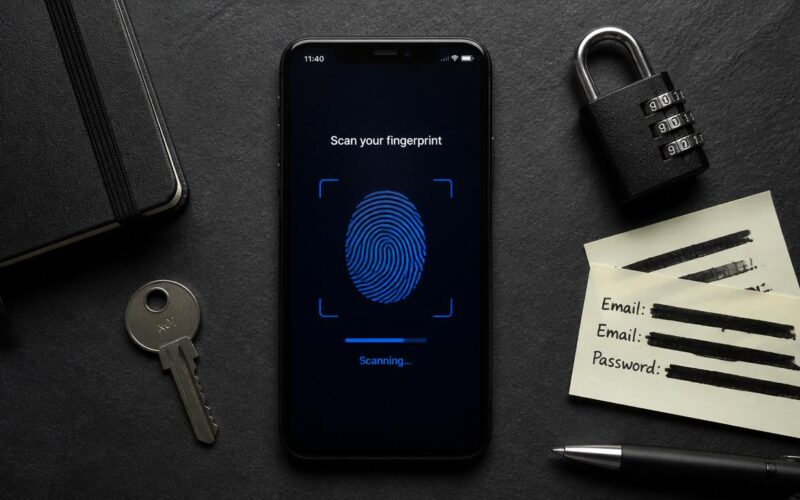
- Enable full-disk encryption on all devices. FileVault (macOS), BitLocker (Windows), native encryption on iOS and Android. Use a strong PIN for device unlock — not biometrics as the primary method, especially for border crossings (see below).
Digital privacy for journalists — tool comparison
| Purpose | Moderate risk | High risk (nation-state) |
| Secure messaging | Signal (disappearing messages enabled) | Signal + in-person meetings for the most sensitive discussions |
| Source document receipt | ProtonMail E2E encrypted email | SecureDrop (institutional) or OnionShare (individual) |
| Sensitive document storage | Cryptomator + cloud storage or VeraCrypt | Air-gapped machine + Tails OS for most sensitive materials |
| Anonymous browsing | Tor Browser for source-sensitive research | Tails OS (all traffic routes through Tor) + separate device |
| ProtonMail for sensitive; standard for public-facing | Same + minimal use of digital for highest-sensitivity discussions | |
| Device unlock | PIN (not biometrics for border crossings) | PIN + Lockdown Mode (iOS) for travel |
| Account security | Unique passwords + hardware security key 2FA | Same + separate device for sensitive accounts |
Operational security habits
Technical tools address the digital channel. Operational habits address the human channel that technical controls can’t fully protect:
- Compartmentalise sources. Avoid creating any document, note, or message that links a sensitive source’s identity to their information. Use source codenames in notes rather than real names. Keep the link between codename and identity only in memory or on a physically secured medium, never in a cloud-synced note or networked document.
- In-person for the most sensitive discussions. Some information should not travel over any digital channel — the safest meeting leaves no digital trace. If a source is at serious risk, in-person meeting in a location away from mobile devices is the most secure option available.
- Clean devices before border crossings. Tails OS on a USB drive carries sensitive materials without leaving traces on the travel device. Cloud accounts can be logged out before crossing borders and re-accessed afterward. For high-risk crossings: travel with a clean device that has only the applications and accounts needed for the trip.
- Vary communication patterns. Using the same encrypted messaging tool for every source, communicating on a predictable schedule, and always using the same device reveal patterns even when the content is encrypted. Varying the channel, timing, and device where appropriate reduces pattern visibility to a network observer.
Border crossings and biometric compulsion
In many jurisdictions, law enforcement can compel a journalist to unlock a device using biometrics — a fingerprint or face unlock — without a court order, because courts have inconsistently ruled that biometric unlocking is not testimonial. A PIN or passphrase, by contrast, is testimonial in some jurisdictions and cannot be compelled in the same way. Digital privacy for journalists in border crossing scenarios means using a PIN rather than biometrics as the primary device unlock method — this applies when crossing into any jurisdiction where the opposition might have law enforcement access.
The Reporters Committee for Freedom of the Press (rcfp.org) and equivalent press freedom organisations in other countries provide legal support and guidance specific to journalist digital privacy situations. Consulting a press freedom lawyer before an anticipated high-risk situation is part of complete preparation — not an afterthought.
Nation-state grade commercial spyware — the hardest threat
Commercial spyware tools (NSO Group’s Pegasus, QuaDream, Intellexa) target iOS and Android devices through zero-day and zero-click exploits in browsers, email clients, and OS components. These tools have been used against journalists in documented cases across dozens of countries, including democracies. Protection against nation-state-grade commercial spyware is technically extremely difficult — even a fully-patched, correctly-configured device can be compromised by a zero-click exploit. Our guide on Biometric Data Privacy covers an adjacent issue.
The most effective protective measures available for this threat level:
- Enable Lockdown Mode on iPhones and iPads (Settings → Privacy & Security → Lockdown Mode) — drastically reduces the attack surface available to commercial spyware by disabling specific message attachment types, web features, and wired device connections
- Use a separate dedicated device for the most sensitive communications that is not linked to personal accounts and is periodically factory reset
- Run periodic iVerify checks — a mobile security tool scanning for indicators of spyware compromise
At this threat level, source compartmentalisation and the limitation of sensitive digital communications become even more important when the digital channel itself may be compromised. For current guidance on commercial spyware indicators and response, the Committee to Protect Journalists’ digital safety resources maintain up-to-date guidance specifically for journalists covering high-risk topics. See also Reduce Your Digital Footprint for a related case.
Specific operational scenarios — applied guidance
Receiving a sensitive tip from an unknown source:
- Ask the source to use Signal for initial contact if possible — it provides end-to-end encryption and metadata minimisation
- If the tip arrives via regular email or SMS, respond through Signal for subsequent contact: “I received your message. For our continued conversation, please contact me through Signal at [number].”
- Do not discuss the source’s identity or the tip’s content in the initial channel beyond what’s needed to establish the secure channel
Verifying a document’s authenticity without compromising source identity:
- Sanitise metadata from the document (ExifTool) before sharing it with editors or other contacts
- If verification requires showing the document to a third party, do so in person on a device not connected to the internet or cloud sync — don’t email it for verification feedback
- Be aware that document metadata can include creator name, organisation, editing history, and template information that could identify the source even without explicit source details in the content
Covering a protest or sensitive public event:
- Signal’s Note to Self function works as an encrypted notepad for field notes that need to remain private
- Photos taken on a phone carry GPS EXIF data unless location is disabled in camera settings (iOS: Settings → Privacy & Security → Location Services → Camera → Never; Android: Camera app → Settings → Location tags → Off)
- Signal allows sending disappearing photos that delete from both devices after a set time — use this for the most sensitive images you need to share with an editor quickly from the field
Post-publication — when the story is out:
- Don’t reduce security posture after publication — the period immediately after a sensitive story publishes may be when source-finding efforts intensify rather than decrease
- Delete any source-identifying information (messages, notes, documents with source details) from devices after publication if the information is no longer needed for verification, follow-up, or legal protection purposes
- Consult with a media law attorney about document retention obligations before deleting anything — some materials may need to be preserved for legal protection even if they create a security risk
Digital privacy for journalists requires balancing the security needed to protect sources with the operational workflows that make journalism possible. The most important principle: security controls that are too burdensome to use consistently provide less protection than simpler controls that are actually used. Signal used consistently for every sensitive conversation is more protective than an air-gapped machine that sits unused because the workflow is too difficult. Start with the foundational controls (encrypted messaging, account security, encrypted storage), apply them consistently, and then add the higher-complexity tools when the threat model specifically warrants them. You might also run into Secure Home Office Setup.