
Individual password managers solve the personal credential problem. A password manager for teams solves a fundamentally different problem: how a group of people can share credentials securely, maintain individual accountability, onboard new members without sharing master passwords, and offboard departing members without changing every shared credential. For a broader walkthrough, our Complete Guide to Online Security and Privacy is a good next read.
A shared Bitwarden personal account gives every team member access to the same vault with no audit trail, no individual accountability, and no clean way to revoke one person’s access without changing every shared password. That’s not a password manager for teams — it’s a shared vault with all the risks of a shared spreadsheet, just encrypted.
Key features to evaluate — what matters most for teams
Not every feature that matters for personal use matters for teams. These are the differentiators:
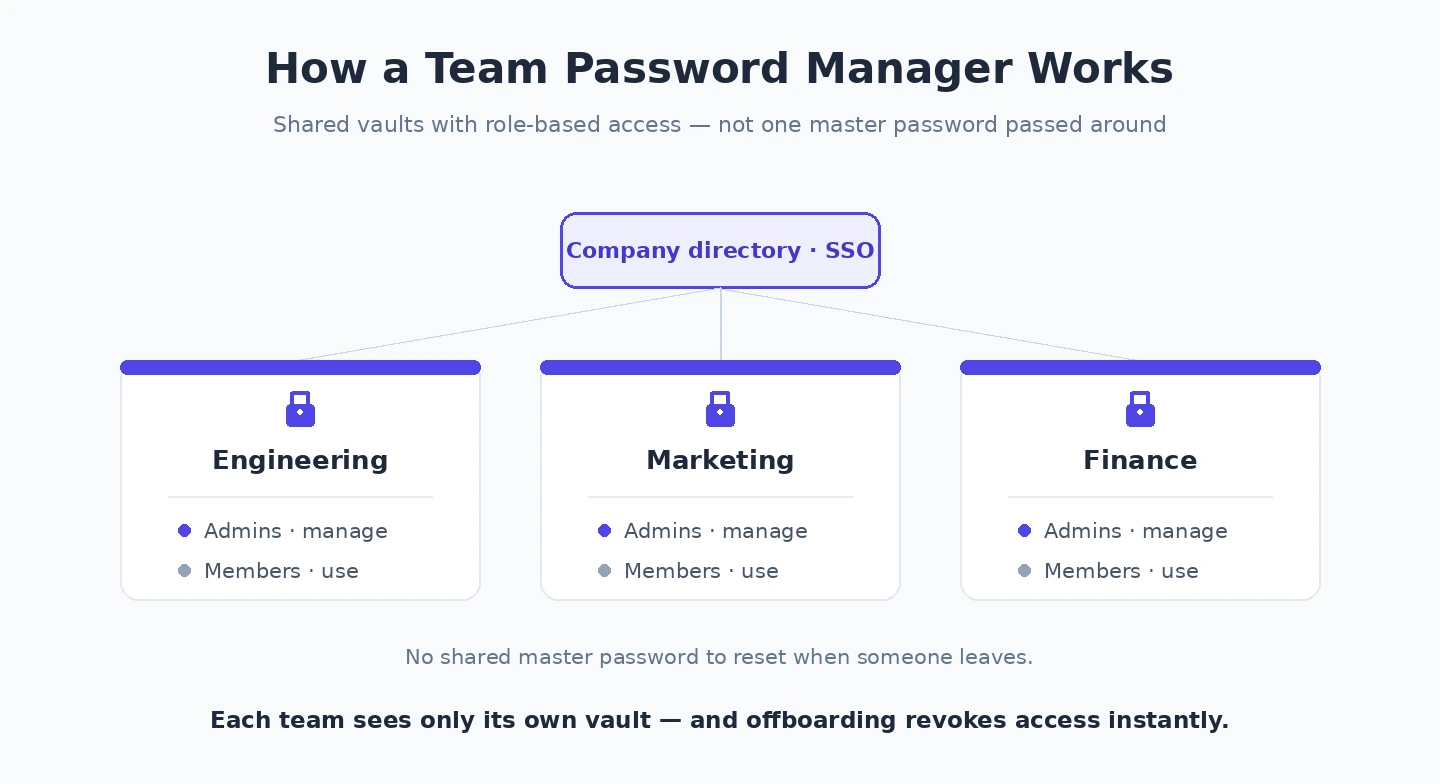
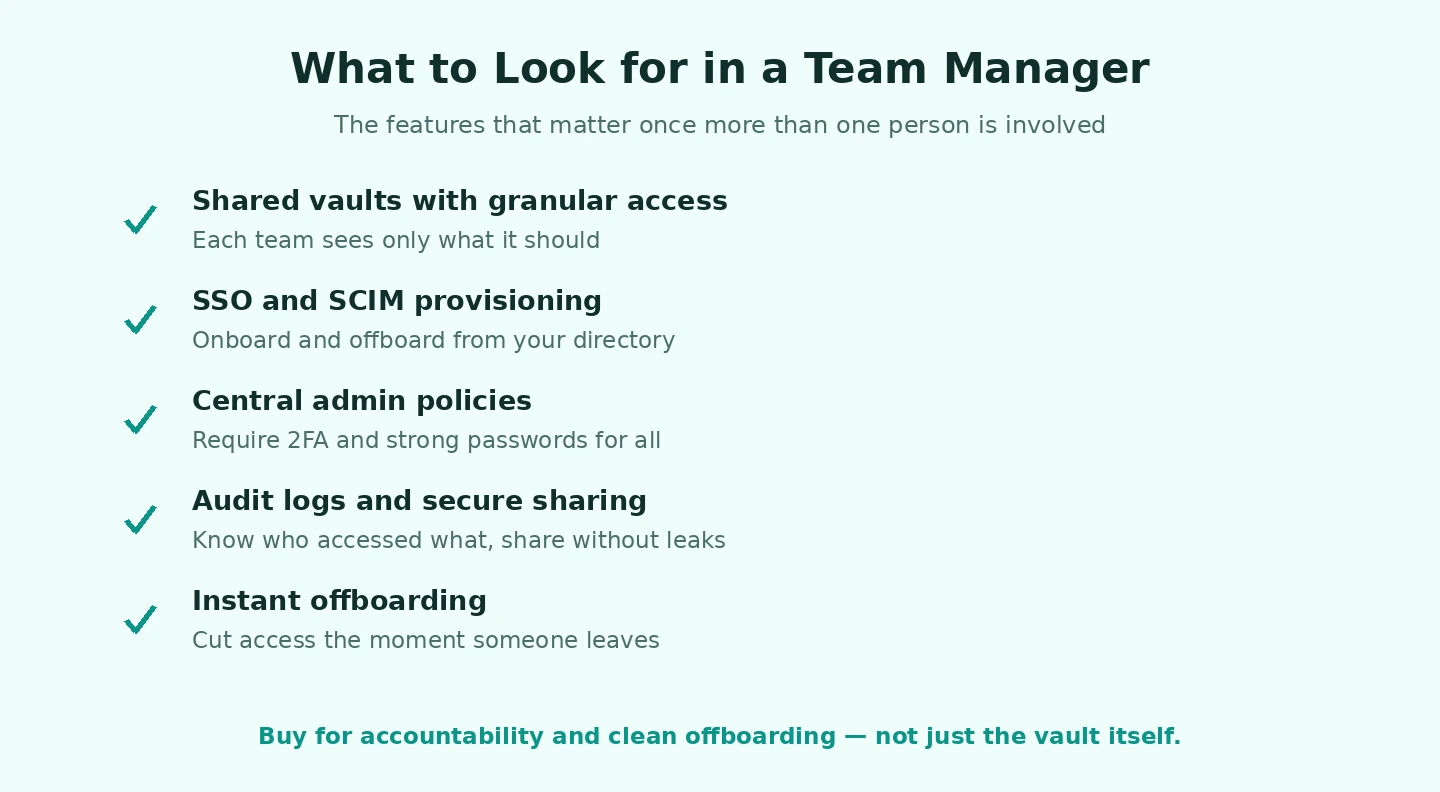
Shared vault organisation is the core operational requirement. The ability to create collections, folders, or groups of credentials that specific team members can access — without giving everyone access to everything — is the minimum. Marketing accesses marketing tool credentials; developers access development environment credentials; finance accesses accounting system credentials. A team password manager that only offers “share everything with everyone” is insufficient for even a five-person team.
Granular permission levels within shared collections: read-only (can use the credential but cannot see the password in plaintext), edit (can update credentials), and admin (can manage collection membership). This lets you give contractors access to client systems without letting them export credentials, or let junior developers authenticate to tools without being able to change the passwords.
Audit logging is the accountability layer that distinguishes a team tool from a shared personal vault. Logs recording who accessed which credential, when, from which device, and what they did (viewed, copied, autofilled, exported) create the forensic trail needed for incident investigation and compliance reporting. When a credential is compromised, the audit log is the starting point for breach investigation. Regulated industries (healthcare, finance) may have specific log retention requirements the tool must satisfy.
SSO integration (SAML, SCIM provisioning with Okta, Azure AD, Google Workspace) is the enterprise feature that most significantly reduces admin overhead. Deactivating a Google Workspace account immediately revokes that employee’s password manager access — no separate offboarding step required.
The step-by-step implementation
- Conduct a credential inventory before deployment. Document what credentials exist, who currently has access (formally or informally), and what service they belong to. This reveals undocumented shared credentials (the database password on a sticky note), former employees who still have access to shared accounts, and reused passwords that should be unique. The inventory is the starting point for credential hygiene remediation, not just migration.
- Design the vault structure first. Plan collections, groups, and permission levels before creating them. Common structures organise by department (Marketing, Development, Finance), by function (Client Access, Internal Tools, Infrastructure), or by sensitivity (General, Finance-Only, Admin). A well-designed structure takes 20 minutes to plan and saves hours of reorganisation after deployment.
- Migrate the highest-risk credentials first. Shared service accounts, infrastructure access, financial tools — migrate these first. Generate new unique passwords for each during migration rather than migrating existing weak or reused passwords. The migration is the opportunity to remediate credential hygiene across the organisation.
- Enroll team members with individual accounts. Every team member gets their own account — never share the admin account or a generic team account. Individual accounts enable the audit logging, access control, and offboarding capabilities that justify using a team tool.
- Configure SSO integration. If the team uses Google Workspace, Okta, or Azure AD, connecting the password manager to the identity provider simplifies both onboarding and offboarding significantly.
- Test the offboarding process before you need it. Simulate offboarding a team member: deactivate their account, verify their access is revoked, check whether any credentials they alone knew need to be updated. Most organisations skip this step — and then discover the process is broken during an actual departure, possibly an adversarial one.
The most common gap revealed by offboarding testing: credentials that were never migrated to the team vault and exist only in a departing employee’s personal manager. A credential inventory kept current prevents this by maintaining visibility into all credentials regardless of where they’re stored. According to Bitwarden’s team security documentation, organisations that conduct credential inventories consistently find 30% or more of credentials that should be in the team vault are held in personal accounts or browser-saved credentials.
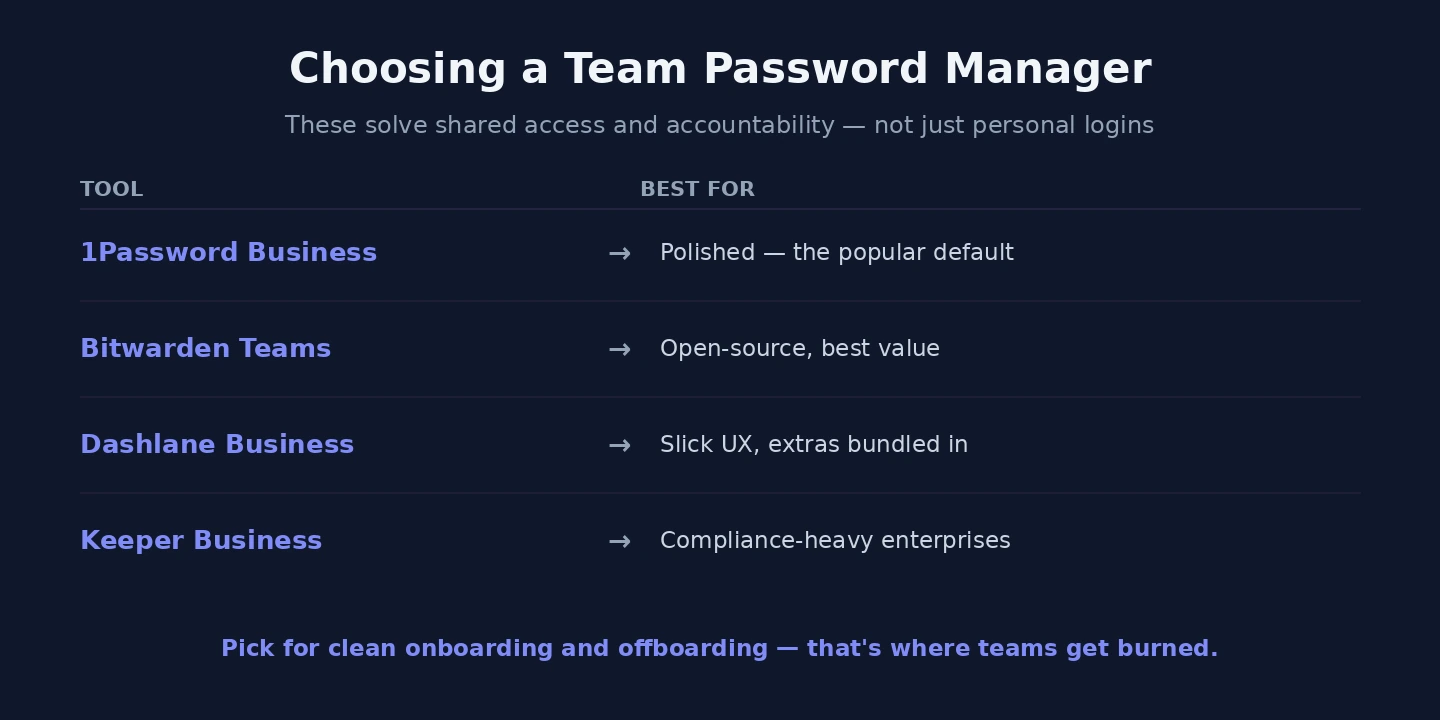
Leading options by tier
| Product | Price (approx) | Best for | Standout features |
| Bitwarden Teams | ~$4/user/month | SMBs 5–100 people, no specific compliance requirements | Open source, self-hosting option, independent security audits, zero-knowledge architecture |
| 1Password Business | ~$8/user/month | SMBs wanting polished UX and advanced monitoring | Guest accounts, Watchtower breach monitoring, Travel Mode, document storage |
| Dashlane Business | ~$8/user/month | Teams wanting dark web monitoring and VPN included | Live dark web alerts, built-in VPN, SSO support |
| Keeper Business | ~$5/user/month | Compliance-sensitive environments | FIPS 140-2 validated, strong audit logging, compliance reporting |
| LastPass Business | ~$7/user/month | Enterprise SSO and MFA focus | Wide SSO integrations, MFA enforcement, policy management — note: suffered significant breach in 2022; evaluate security posture before deploying |
| Hashicorp Vault (open source) | Free (hosting costs) | Infrastructure-heavy technical teams | Secrets management for applications and infrastructure, not primarily for human credentials |
Bitwarden Teams is the strongest combination of security, functionality, and cost-effectiveness for most SMBs. 1Password Business adds guest accounts (for sharing specific credentials with clients or contractors without full team membership) and Travel Mode (temporarily removing sensitive vaults from devices crossing into specific jurisdictions) — useful features for specific operational requirements that justify the price difference.
Common deployment mistakes
- Creating a team account before designing the vault structure: teams that start migration before planning collections end up with an unorganised vault that mirrors the chaos of the previous system. Plan first.
- Migrating existing weak passwords without remediation: the migration is the opportunity to generate new unique passwords. Migrating reused or weak passwords into the vault gives the appearance of security without providing it.
- Weak master password enforcement: individual team members control their own master passwords, but the organisation can enforce minimum strength requirements. Requiring 16+ character passphrases and preventing reuse is appropriate configuration. A password manager for teams where members set weak master passwords undermines the zero-knowledge architecture.
- Leaving the admin account without hardware security key protection: the admin account controls team membership, collection access, and audit log access. If compromised, an attacker can silently access all shared credentials and disable audit logging. Require a FIDO2 hardware key for admin authentication — two keys (primary + backup) is the appropriate minimum for admin protection.
- Not setting a migration deadline: parallel credential management systems (old shared spreadsheet plus new team vault) become permanent if there’s no deadline. Set 30–60 days from deployment and deactivate old shared resources. The 60-day mark is when most team members have formed vault usage habits that persist without active enforcement.
Our guide on using a password manager covers the individual setup process that team members follow when enrolling in the team tool, and our guide on setting up two-factor authentication covers the 2FA configuration that should be required on all team member accounts. For Bitwarden’s open-source security audit reports, Bitwarden’s security white paper provides the most recent independent audit findings and architecture documentation.
Compliance and regulatory considerations
Different industries face different requirements for credential management. Understanding which requirements apply helps select the appropriate tool and configuration:
- SOC 2 Type II: requires evidence of access controls, audit logging, and credential management practices. Most enterprise-tier team password managers can provide the audit log exports and access control evidence needed for SOC 2 reporting. Ensure audit logs are retained for the SOC 2 required period (typically 12 months of evidence for Type II).
- HIPAA: requires access controls limiting PHI access to authorised individuals and audit controls tracking who accessed what. A team password manager with role-based access and full audit logging addresses both. Keeper and 1Password Business both offer HIPAA Business Associate Agreement (BAA) support.
- PCI DSS: requires unique credentials for individuals (no shared accounts) and access controls limiting payment system access to those with business need. Individual accounts in the team password manager directly address the unique credential requirement. Audit logging satisfies the access monitoring requirement.
- GDPR: requires technical and organisational measures to protect personal data. Credential management that prevents unauthorised access to systems holding personal data is a technical measure. Documentation of access controls provided by the team password manager audit logs supports GDPR accountability requirements.
Password policies and enforcement
A team password manager without enforced password policies provides less protection than one with consistently applied standards. Policies worth configuring at the organisational level:
- Minimum master password strength: 16+ characters; require uppercase, lowercase, numbers, and symbols (or use a passphrase requirement); prevent reuse of recent passwords
- Two-factor authentication requirement for all accounts: most team password managers allow mandating 2FA for all team members — enforce this rather than leaving it optional
- Vault timeout and lock policies: auto-lock the vault after a period of inactivity (15–30 minutes is reasonable); require re-authentication after lock
- Export restrictions: disable or restrict credential export for standard team members — exports create a plaintext copy of all vault contents and represent a significant data loss risk
Handling contractor and client access
Guest accounts in 1Password Business and the equivalent in other enterprise tools allow sharing specific credentials with contractors and clients without granting them full team membership. This is worth planning for before deployment:
- Contractors need access to specific project credentials but not the entire team vault — create project-specific collections with guest access rather than adding contractors as full team members
- When a contractor engagement ends, deactivating their guest account revokes access to all shared credentials simultaneously — no need to change every credential they had access to
- For clients who need access to credentials you manage on their behalf (website credentials, social media, vendor accounts), guest collections allow you to share the credential without revealing the underlying password in plaintext if read-only access is configured
The combination of a well-structured team vault, individual accounts with strong master passwords, mandatory 2FA, hardware key protection for admin accounts, and a tested offboarding process addresses the primary credential management risks that shared password approaches leave open. The time investment to implement this correctly — typically a few days for a small team — produces ongoing operational security improvements that compound over the lifetime of the organisation.
Emergency access and business continuity
One scenario most team password manager deployments don’t plan for: what happens if the team admin is unavailable? The admin controls team membership and collection access — if the admin account is inaccessible (admin is ill, has left the organisation, or has forgotten the master password), other team members may be locked out of critical shared credentials. You might also run into Secure Password Reset.
Business continuity configuration for team password managers:
- Two admin accounts minimum: at least two people should have admin-level access, each with their own account and hardware security key. This prevents single-point-of-failure lockout if one admin is unavailable.
- Emergency access contacts: Bitwarden supports emergency access (a designated person can request vault access after a waiting period); 1Password has Travel Mode and family/team emergency access features. Configure these for critical accounts.
- Documented recovery procedure: document the steps to regain admin access if both admins are unavailable. This may involve the identity provider (deprovisioning and re-provisioning through Okta or Google Workspace), the password manager vendor’s enterprise support process, or recovery codes stored in a physically secured location.
A team password manager for a growing organisation is infrastructure. Like any infrastructure, it needs a documented recovery procedure — not because it will fail often, but because when it matters, it matters urgently. Spending an hour on the business continuity documentation during initial deployment is significantly less expensive than discovering the recovery process is broken during an actual access emergency. Related: Privacy by Design.