
The network monitoring software category covers an enormous range — from a free Windows utility that tells you which device is using your home wifi, to enterprise platforms costing six figures annually that monitor thousands of network endpoints across global infrastructure. Comparing tools across that range produces useless conclusions because the genuinely best tool for a 5-person office is the wrong tool for a 5,000-employee company, and vice versa. The most useful way to navigate this category is to first establish which scale tier you are actually in, then pick the right tool within that tier.
Three tiers cover where most readers sit. Home and prosumer: a handful of devices, primarily for diagnosing wifi problems, identifying unauthorised devices, or understanding which household member is consuming the bandwidth. Small business: a single office network with up to a few dozen devices, where you need visibility into device health, basic security monitoring, and bandwidth use. Professional and enterprise: multiple sites, hundreds to thousands of devices, regulatory compliance requirements, and dedicated network operations capacity to actually use the monitoring data.
This guide walks through the right network monitoring software for each tier and is upfront about which tools serve which purpose. For broader context on the IT operations software stack that monitoring sits within, our guide to the best software and apps covers adjacent categories like cloud storage and security tooling.
Tier 1: Home and Prosumer Network Monitoring
The home tier is dominated by free tools and built-in router features. The realistic options for users at this scale are not the same tools that dominate small business or enterprise discussions, despite what cross-tier comparison articles suggest.
The router’s built-in monitoring is the first place to look. Modern consumer routers from ASUS, Netgear, TP-Link, and Eero all include device lists showing what is connected, bandwidth use per device, and basic parental controls or quality-of-service settings. For most home networking problems (slow wifi, unknown devices, kids consuming all the bandwidth), the router’s own interface answers the question without installing anything.
Fing (free desktop and mobile apps, paid Premium tier at $39.99/year; fing.com) is the dedicated home network monitoring tool worth installing when the router interface is insufficient. The platform discovers devices on your network with surprising accuracy (identifying not just “Apple device” but “iPhone 14 Pro running iOS 17”), tracks when devices appear and disappear, monitors internet speed and outages over time, and flags potential security issues like open ports or vulnerable IoT devices. The free tier covers most home use; the paid tier adds historical data retention and remote monitoring.
GlassWire (free with limited features, paid plans from $39/year; glasswire.com) takes a different approach — it monitors network activity from your individual Windows or Android device rather than scanning the network. The interface shows which applications on your computer are using bandwidth, which servers they are connecting to, and alerts on unusual network activity. For users specifically concerned about what their own computer is doing on the network, GlassWire is informative in ways the network-level tools cannot match.
The case against installing dedicated home network monitoring is that for most households, the router interface and the occasional speed-test website provide enough information. Installing dedicated monitoring tools and then ignoring the data they collect is common. The right time to commit to a tool is when you have a specific recurring problem (slow wifi at specific times, devices that drop offline mysteriously, suspicion of an unwanted device) that the router cannot answer.
Tier 2: Small Business Network Monitoring
The small business tier is where dedicated monitoring tools start to genuinely matter. Networks of 20 to 200 devices have enough complexity that ad-hoc troubleshooting becomes inefficient, but they do not have the budget or operational capacity for enterprise platforms.
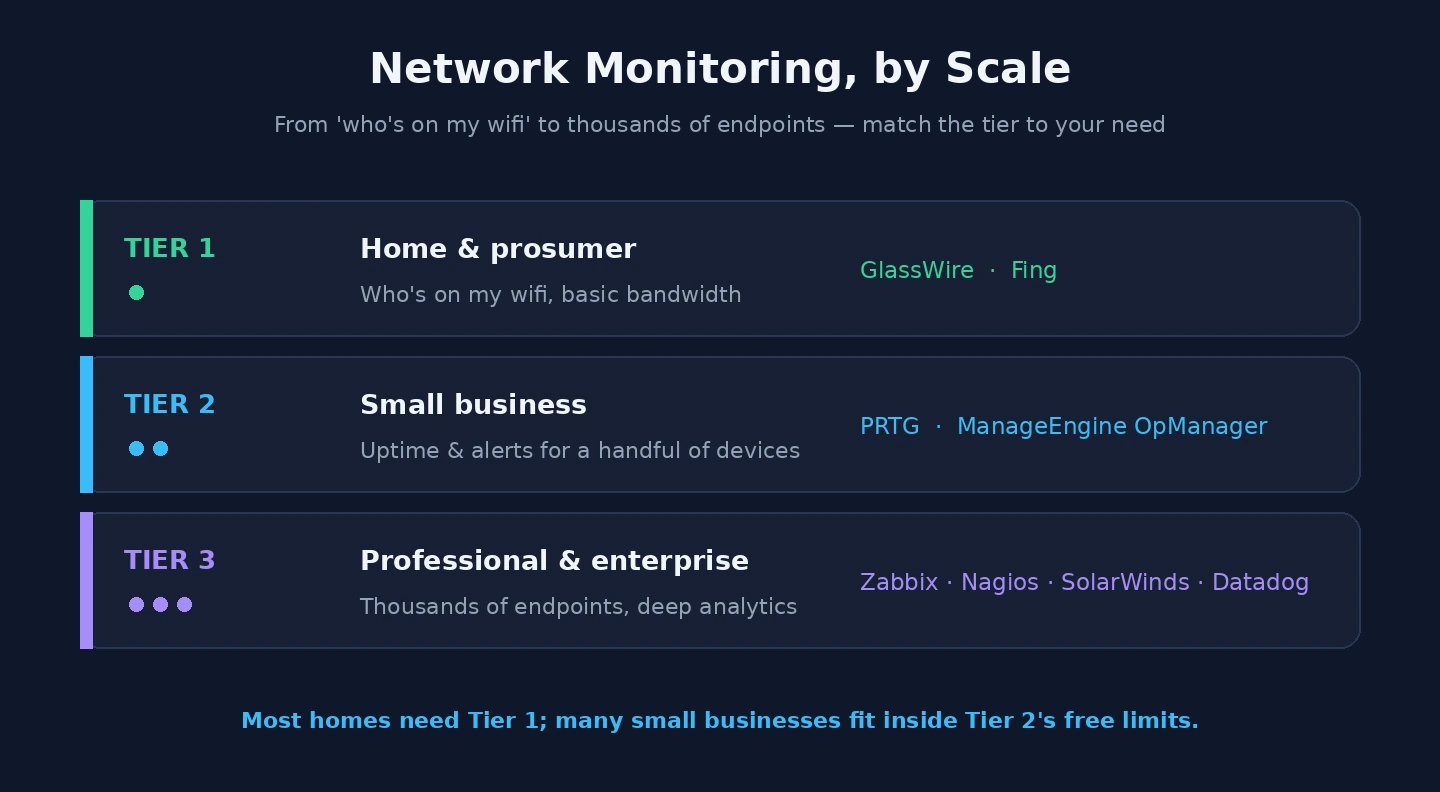
PRTG Network Monitor (free for up to 100 sensors, paid licensing for larger deployments; paessler.com) is the tool I recommend most consistently for the small business tier. The free 100-sensor tier is genuinely usable for small operations — a sensor in PRTG terms is roughly equivalent to monitoring one specific metric on one device (the CPU of a server, the bandwidth on a port, the response time of a service), and 100 of those covers a small office network adequately. The interface is straightforward enough that someone without network operations background can configure basic monitoring.
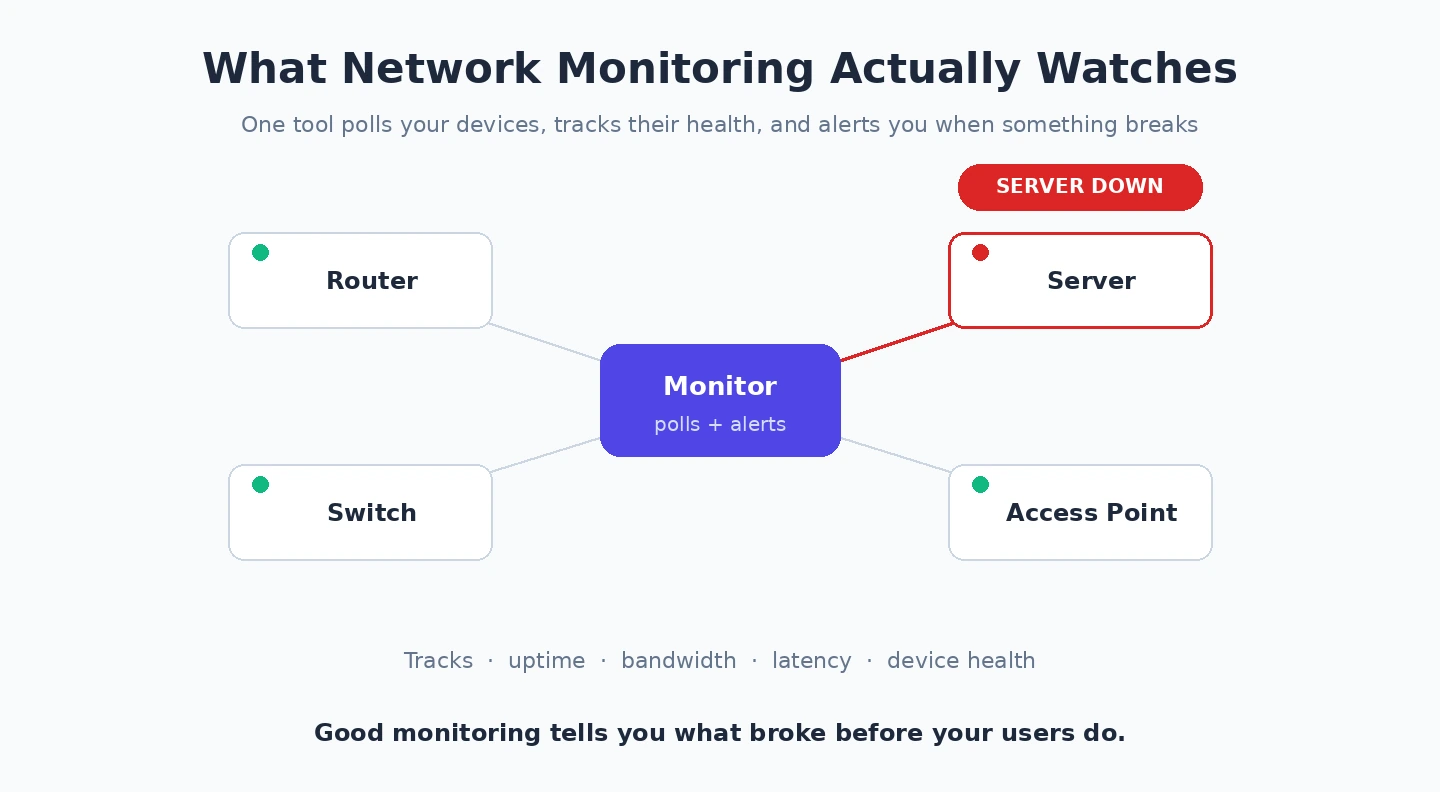
What PRTG actually does well: device discovery and inventory (it finds and identifies devices on your network with reasonable accuracy), uptime monitoring (alerts when a server, switch, or service goes down), bandwidth monitoring (per-device and per-application traffic over time), and alerting via email, SMS, or push notification. The reporting capability lets you produce monthly summaries showing network reliability, which is useful for businesses that need to demonstrate uptime to clients or management.
The case against PRTG is that the licensing for larger deployments gets expensive quickly. The 500-sensor license is around $1,800, the 1,000-sensor license around $3,200, and businesses outgrowing the 100-sensor free tier often face a substantial cost step. For organisations that anticipate growing past 100 sensors, evaluating the paid licensing cost upfront prevents an uncomfortable migration later.
ManageEngine OpManager is the credible alternative at the same scale tier, with similar capabilities and similar pricing dynamics. The choice between PRTG and OpManager often comes down to which interface a specific administrator prefers; both serve the small business use case well.
For very small businesses with simple network needs, the same Fing and GlassWire tools recommended for the home tier scale up adequately — Fing’s Premium tier handles networks of a few dozen devices, and GlassWire on key servers and admin workstations provides device-level visibility. The dedicated network monitoring platforms become worth their setup time when the network has more than about 20 devices or when business operations depend on network reliability enough that proactive alerting is valuable.
Tier 3: Professional and Enterprise Network Monitoring
The enterprise tier is genuinely different from everything below it. The tools are more expensive, more complex, and require dedicated operational capacity to use well. Recommending these to small businesses is malpractice; recommending the smaller-tier tools to enterprises is similarly misplaced.
SolarWinds Network Performance Monitor (NPM) (licensing from around $2,995 for the entry tier, more for larger deployments; solarwinds.com) is the platform that anchors many enterprise network operations teams. The capabilities are deep: SNMP-based monitoring of virtually any network device, flow-based traffic analysis with NetFlow and similar protocols, configuration management and change tracking, integrated alerting and incident workflow, and the ecosystem of related SolarWinds products (server monitoring, log analysis, security event monitoring) that share data and integrate operationally.
The case for SolarWinds is the breadth of the product family. Enterprises that adopt one SolarWinds product often add others over time as needs emerge, and the integrated data and unified administration create compounding value. The case against is the licensing complexity, the substantial setup and tuning effort required, and the SolarWinds Orion compromise of 2020 that has affected enterprise trust in the product family. The vendor has invested heavily in security improvements since, but the reputational impact in enterprise security circles is real.
The other enterprise platforms worth knowing: Datadog (cloud-native monitoring that covers networks, servers, applications, and logs in a unified platform), Zabbix (open-source with enterprise-grade capability and corresponding configuration complexity), Nagios XI (the commercial version of the long-established Nagios open-source platform), and LogicMonitor (cloud-based platform competing in similar enterprise space to SolarWinds). Each serves specific enterprise patterns; the choice is heavily dependent on existing infrastructure, in-house operational expertise, and integration requirements with adjacent enterprise tools.
For organisations in this tier, the honest advice is to engage proper professional evaluation rather than picking from a comparison article. The cost of getting the choice wrong is substantial (typically six-figure migration costs plus operational disruption), and vendor-specific consultancy or independent assessment usually pays back through better fit.
Bandwidth and Traffic Analysis: A Specialised Subcategory
One specific monitoring need that crosses tiers is bandwidth and traffic analysis — understanding not just whether the network is up, but what is consuming the available capacity. The major platforms covered above include bandwidth monitoring as a feature, but for some use cases dedicated traffic analysis tools serve better.
NetFlow Analyzer from ManageEngine, ntopng (open-source), and Wireshark (free, the de facto packet analysis tool) cover this specialised subcategory at different points on the simplicity-versus-depth spectrum. Wireshark is the right tool for diagnostic investigation of specific problems — capturing the actual packets traversing a network segment to understand exactly what is happening. It is not a continuous monitoring tool; it is an investigation tool. NetFlow Analyzer and ntopng are continuous tools that track traffic patterns over time without requiring per-packet capture.
For most users at any tier, the bandwidth monitoring in their primary platform (router for home, PRTG for small business, SolarWinds or equivalent for enterprise) handles the daily need. The dedicated tools become worth installing when you have a specific recurring traffic problem that the general monitoring cannot diagnose.
Security Monitoring vs Performance Monitoring
One distinction worth making clearly because the category often conflates them: network monitoring for performance and network monitoring for security are related but different. Performance monitoring asks “is the network up, fast, and serving its users well?” Security monitoring asks “is anything suspicious happening on the network that suggests a threat?”
The tools covered above are primarily performance-focused. They include some security-adjacent features (device discovery flagging unauthorised endpoints, alerting on unusual traffic patterns), but they are not dedicated security monitoring platforms. For organisations with serious security requirements, dedicated tools like SIEM platforms (Splunk, Elastic Security, Microsoft Sentinel, IBM QRadar) handle the security side properly.
For most small businesses, the performance monitoring tools’ security-adjacent features plus a competent endpoint protection product cover the practical security monitoring need. For larger organisations or those in regulated industries, dedicated SIEM is usually required. Our VPN comparison covers the related network-layer security tooling, and our password manager comparison covers the credential layer that often connects to security monitoring workflows.
Free and Open-Source Options Worth Knowing
For users at any tier who specifically want open-source network monitoring software, several credible options exist beyond the commercial platforms discussed above. Zabbix has become the most widely-deployed open-source enterprise-grade monitoring platform, with capability that genuinely competes with commercial alternatives but requires substantial operational expertise to deploy well. Nagios Core (the open-source version of the platform that Nagios XI is built on) remains the historical default for Linux-centric operations teams. LibreNMS, a fork of the older Observium project, provides solid SNMP-based network monitoring with active community development. Prometheus combined with Grafana for visualisation has become the standard pattern for modern cloud-native infrastructure monitoring, though the network-specific use case is less native to that stack than to traditional tools.
The case for the open-source path is real for organisations with the operational capacity to deploy and maintain these platforms. The case against is also real: the labour cost of running open-source monitoring at scale typically exceeds the licensing cost of equivalent commercial tools once you account for the experienced engineers required. Open-source network monitoring software is genuinely free if you have the in-house expertise; it is expensive consulting fees and operational risk if you do not. For small businesses and prosumers, the commercial free tiers (PRTG free, Fing free) deliver better experience for the same zero cost. For enterprises, the choice between open-source and commercial usually comes down to whether you have a dedicated platform team that can own the infrastructure long-term.
The Configuration Trap
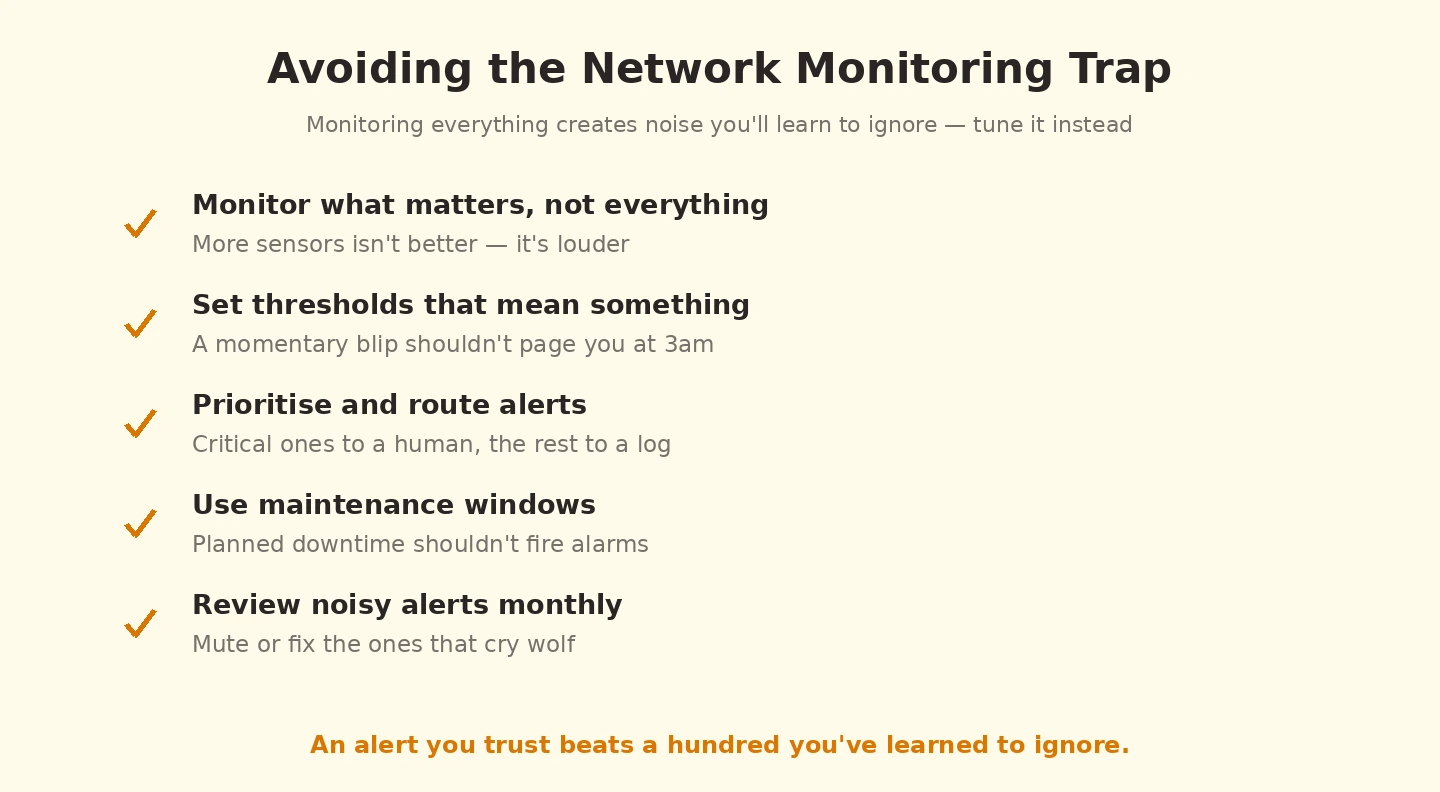
One pattern that affects deployments at every tier: the tools are easier to install than to use well. PRTG, SolarWinds, and most other monitoring platforms install in an afternoon and start producing useful data within hours. They become genuinely valuable over weeks of tuning — adjusting alert thresholds so you do not get pages for irrelevant events, configuring escalation rules so the right people see the right alerts, building dashboards that surface the metrics that actually matter for your operation. Most failed monitoring deployments fail at the tuning step rather than the installation step.
The realistic pattern: install the tool, accept that the first month will produce too many alerts and require active tuning, plan for a quarterly review of alert configuration to keep it relevant as the network evolves. Monitoring tools that are installed and ignored produce all the cost without the benefit. Monitoring tools that are installed and tuned actively become genuinely valuable operational infrastructure. Our cloud storage for business comparison covers the related infrastructure that often connects to network monitoring through bandwidth and access patterns.
The Practical Recommendation
For most readers, the choice is determined by the scale tier rather than by feature comparison. Home and prosumer users should start with the router’s built-in monitoring and add Fing or GlassWire only if a specific need emerges. Small businesses should default to PRTG’s free 100-sensor tier and pay for licensing only when they outgrow it. Enterprises should engage proper evaluation rather than picking from comparison articles. The wrong move is reading reviews of enterprise tools and trying to apply them to home networks, or vice versa — the tools are genuinely different categories, and the cross-tier mismatch produces both wasted money and disappointing results. Identify your tier honestly, pick the appropriate tool, and invest time in tuning rather than tool-shopping. Our antivirus comparison covers the endpoint security side that pairs with network monitoring for full coverage.