The Dropbox vs Google Drive comparison is one of the most common cloud storage decisions for individuals and small teams who want reliable file sync, sharing, and access across all their devices. Both are mature, widely adopted platforms with strong track records — but they serve different primary audiences and differ meaningfully on pricing, storage generosity, collaboration tools, and the ecosystems they integrate with best. This guide compares Dropbox vs Google Drive across every dimension that matters for a practical storage decision: free tier value, paid plan pricing, sync reliability, collaboration features, external sharing, platform support, and which user profile each serves best in 2026. We go deeper on the whole subject in our Best Software and Apps.
The framing that helps most for the Dropbox vs Google Drive comparison: Dropbox is a file sync and storage specialist — it does one thing extremely well across every platform. Google Drive is a cloud platform that includes file storage as part of a broader productivity ecosystem including Docs, Sheets, Slides, and integration with Gmail and the rest of Google’s services. If you primarily want excellent file sync, Dropbox wins on purity. If you want storage embedded in a productivity suite, Google Drive wins on ecosystem breadth.
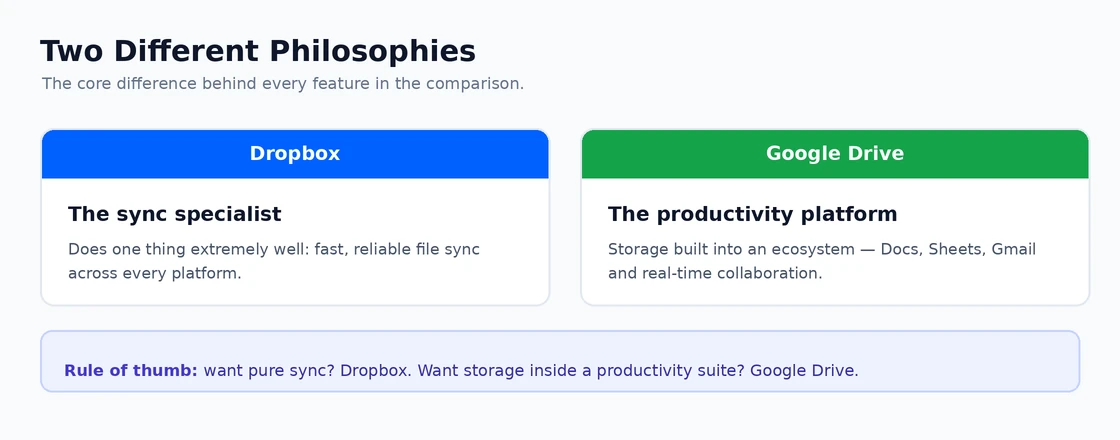
The core difference behind every feature comparison. Dropbox vs Google Drive: Free Storage
The Dropbox vs Google Drive comparison on free storage is not close:
- Google Drive — 15 GB free, shared across Drive, Gmail, and Google Photos. For most light users, 15 GB provides months or years of useful storage before requiring payment.
- Dropbox — 2 GB free. This is the weakest free tier of any major cloud storage service. Dropbox has chosen to compete on quality of sync rather than storage quantity at the free tier.
Dropbox vs Google Drive free tier verdict: Google Drive wins decisively. For users who want free cloud storage, Google Drive’s 15 GB is genuinely useful; Dropbox’s 2 GB fills within weeks of normal use.
Dropbox vs Google Drive: Paid Storage Pricing
Plan Dropbox Google Drive (Google One) Entry paid Dropbox Plus: 2 TB — approximately £9.99/month 100 GB — approximately £1.59/month Mid tier Dropbox Plus includes 2 TB (no mid tier) 200 GB — approximately £2.49/month 2 TB equivalent Dropbox Plus: £9.99/month Google One 2 TB: £8.99/month Team/Business Dropbox Business: from £12/user/month Google Workspace: from £5/user/month (includes Drive) At the 2 TB comparison level, Dropbox Plus and Google One 2 TB are similarly priced (approximately £9.99 vs £8.99/month). However, Google One 2 TB includes sharing with up to five family members and benefits across Google services — making the effective per-person cost significantly lower for families. The Dropbox vs Google Drive paid pricing comparison favours Google Drive for storage-to-cost ratio at every tier below 2 TB.
Dropbox vs Google Drive: Sync Reliability and Performance
This is where the Dropbox vs Google Drive comparison traditionally favoured Dropbox — its sync engine has historically been faster, more reliable, and smarter about managing conflicts than Google Drive. Dropbox pioneered delta sync (uploading only the changed portions of a file rather than the entire file on every save), which produces noticeably faster sync for large documents edited repeatedly. Google Drive’s sync reliability has improved substantially in recent years and is now broadly comparable for most use cases.
In the Dropbox vs Google Drive sync comparison today, the practical difference for most users is minimal. Both sync reliably on good internet connections. Dropbox still has an edge for large files, files edited frequently, and environments where network conditions vary significantly. For standard office documents and photos on reliable broadband, the Dropbox vs Google Drive sync difference is imperceptible. If you experience sync failures, our guides on Dropbox not syncing and Google Drive not syncing cover every common fix for each platform.
Dropbox vs Google Drive: Collaboration
Google Drive wins the Dropbox vs Google Drive collaboration comparison clearly through its native integration with Google Docs, Sheets, and Slides — real-time co-editing in the browser, comments and suggestions, version history, and seamless sharing with anyone who has a Google account (or no account for view-only links). Google Docs is one of the most mature real-time collaboration environments available, and it lives natively inside Google Drive.
Dropbox has Paper (a collaborative document editor) and integrations with Google Docs, Microsoft Office Online, and other tools, but these feel like add-ons to a file storage product rather than native capabilities. For teams whose collaboration centres on document co-editing, the Dropbox vs Google Drive comparison on this dimension favours Google Drive substantially.
Dropbox vs Google Drive: External Sharing
Both Dropbox and Google Drive allow files and folders to be shared with external recipients via a link, with configurable permissions (view only, comment, or edit). The Dropbox vs Google Drive sharing comparison shows a few practical differences:
- Dropbox link controls — Set expiry dates on shared links and disable downloads on Dropbox Professional and Business plans. Password-protected links available on Business plans.
- Google Drive link controls — Similarly supports view/comment/edit permissions and can restrict to specific email domains. Link expiry is not available on personal Google accounts but is available on Google Workspace.
- Recipient experience — Google Drive links open natively in any browser for Google-format files; non-Google formats (Word, PDF) open in a viewer. Dropbox links open a preview page for most file types. Both require download for editing in local applications.
Dropbox vs Google Drive: Platform Support
Both Dropbox and Google Drive support Windows, macOS, iOS, and Android. The Dropbox vs Google Drive difference on platform support is in integration depth:
- Dropbox integrates at the Windows File Explorer level — the Dropbox folder appears as a local folder, with sync status icons on every file. Smart Sync makes files appear locally without being downloaded (streaming on access).
- Google Drive similarly integrates into File Explorer on Windows through Drive for Desktop, with streaming access to files not stored locally.
- On Android, Google Drive has deeper OS integration — it is the default save location for many Android apps. On iOS, both platforms integrate as Files app providers without significant difference.
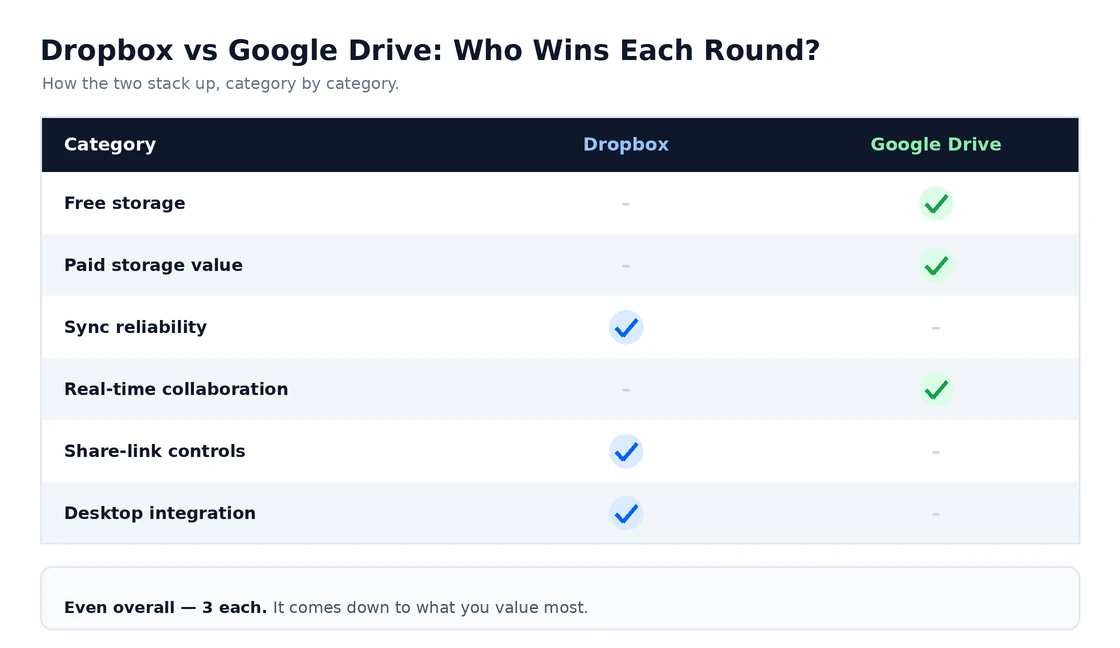
Category-by-category winners — an even split overall. Dropbox vs Google Drive: Which Should You Choose?
Choose Google Drive if:
- You use Gmail, Google Docs, Google Photos, or other Google services — Drive’s ecosystem integration adds significant value
- You want the most generous free storage tier
- Real-time document collaboration is important to you or your team
- You want the best storage-to-price ratio at any tier below 2 TB
Choose Dropbox if:
- Cross-platform sync reliability is the absolute priority and you use a mix of Windows, Mac, Linux, iOS, and Android
- You need advanced sharing controls like link expiry and download restrictions
- Your team works primarily with Microsoft Office files and you want the smoothest sync of .docx and .xlsx files
- You need Dropbox’s Rewind feature (restore your entire Dropbox to any point in the past 180 days)
For the three-way comparison including OneDrive, our guide on OneDrive vs Google Drive covers the Microsoft platform alongside Google Drive, and our article on the best cloud storage for personal use covers the full landscape including iCloud, Amazon Photos, and Proton Drive alongside the Dropbox vs Google Drive options. The Dropbox website and Google One pages both have current pricing that may have been updated since this Dropbox vs Google Drive comparison was written.
Dropbox vs Google Drive: Which Works Better in Practice
Dropbox vs Google Drive compared head to head on storage, pricing, sync reliability, collaboration, sharing, and ecosystem — so you pick the right cloud storage for your files and your team.