Skip to content
Latest:
  • Are AI Detectors Accurate? What They Get Wrong
  • How to See Who’s Connected to Your WiFi (and Kick Them Off)
  • External Hard Drive Not Showing Up in Windows 11: How to Fix It
  • How to Disable Comments in WordPress the Complete Way
  • OneNote Not Syncing: How to Get Your Notes Updating Again
Solve Tech Today
  • Home
  • Fixes & Errors
    • Browser Errors
    • Driver & Hardware
    • Network & Internet Errors
    • Software & Apps
    • Windows Errors
  • How‑To Guides
    • Chrome
    • Network & Internet
    • Security & Privacy
    • Software & Apps
    • Windows
  • Software & Apps
    • Cloud Storage & File Sharing
    • Communication & Collaboration
    • Media & Entertainment Software
    • Productivity Software
    • Security & Privacy
    • Utilities & System Tools
  • AI Tools
    • AI by Industry
    • AI for Business
    • AI Guides & How-To
    • AI Writing & Content
  • WordPress
    • Fixes & Errors
    • How-To Guides
Solve Tech Today
  • Home
  • Fixes & Errors
    • Browser Errors
    • Driver & Hardware
    • Network & Internet Errors
    • Software & Apps
    • Windows Errors
  • How‑To Guides
    • Chrome
    • Network & Internet
    • Security & Privacy
    • Software & Apps
    • Windows
  • Software & Apps
    • Cloud Storage & File Sharing
    • Communication & Collaboration
    • Media & Entertainment Software
    • Productivity Software
    • Security & Privacy
    • Utilities & System Tools
  • AI Tools
    • AI by Industry
    • AI for Business
    • AI Guides & How-To
    • AI Writing & Content
  • WordPress
    • Fixes & Errors
    • How-To Guides
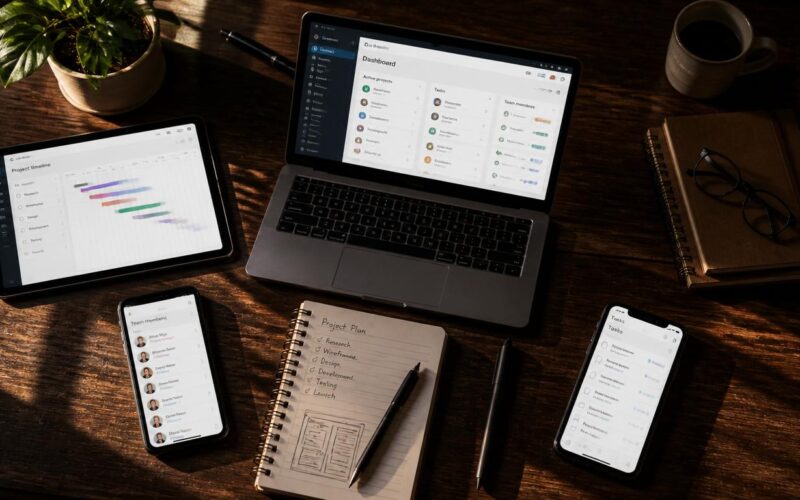
How to use ClickUp - workspace setup and view configuration
How‑To GuidesSoftware & Apps
May 17, 2026 Nicolas L.

How to Use ClickUp Without Getting Overwhelmed

How to use ClickUp from hierarchy setup to full team automation — this complete guide covers Spaces, Lists, custom fields, views, automations, Docs, Goals, and integrations.

Read More
How to use Todoist shown as the desktop app with the Today view open, coloured priority tasks listed, a filter view active, and the Google Calendar integration panel
How‑To GuidesSoftware & Apps
May 17, 2026 Nicolas L.

How to Use Todoist for Tasks and Productivity

How to use Todoist as a trusted task management system — this complete guide covers the Inbox method, priorities, labels, filters, Google Calendar sync, AI Assist, and Karma.

Read More
How to use GitHub shown as the repository page with a pull request open displaying a code diff, inline review comments, and the GitHub Actions workflow status checks
How‑To GuidesSoftware & Apps
May 17, 2026 Nicolas L.

How to Use GitHub: Version Control and Collaboration

How to use GitHub from first repository to full team collaboration — this complete guide covers commits, branches, pull requests, code review, Actions, Pages, and open source contributions.

Read More
How to use Obsidian shown as the desktop app with a note open, the graph view displaying an interconnected knowledge network, and the Dataview plugin rendering a query table
How‑To GuidesSoftware & Apps
May 17, 2026 Nicolas L.

How to Use Obsidian: Personal Knowledge Guide

How to use Obsidian from first vault to a connected knowledge network — this complete guide covers links, graph view, properties, daily notes, essential plugins, and Zettelkasten.

Read More
How to use Google Meet - host controls breakout rooms and recording features
How‑To GuidesSoftware & Apps
May 17, 2026 Nicolas L.

How to Use Google Meet: Host Controls Guide

How to use Google Meet beyond joining a link — this complete guide covers host controls, waiting room, screen sharing, recording, AI meeting notes, noise cancellation, and mobile.

Read More
How to use Microsoft Outlook shown as the desktop client with a rules manager open, the Scheduling Assistant displaying attendee availability, and the Focused Inbox active
How‑To GuidesSoftware & Apps
May 17, 2026 Nicolas L.

How to Use Microsoft Outlook: Email and Calendar

How to use Microsoft Outlook beyond basic email — this complete guide covers inbox rules, Focused Inbox, Scheduling Assistant, Quick Parts, calendar, tasks, and categories.

Read More
How to use 1Password shown as the 1Password desktop app with vault items list, the Watchtower security audit dashboard, and the browser extension autofilling a login field
How‑To GuidesSoftware & Apps
May 17, 2026 Nicolas L.

How to Use 1Password: Password Manager Guide

How to use 1Password from first setup to complete security management — this guide covers vaults, autofill, password generation, Watchtower, Travel Mode, and family emergency access.

Read More
How to use Google Calendar shown as the week view with colour-coded calendars, a time block labelled deep work, an appointment schedule booking page, and the shortcuts panel
How‑To GuidesSoftware & Apps
May 17, 2026 Nicolas L.

How to Use Google Calendar for Time Management

How to use Google Calendar beyond basic event scheduling — this complete guide covers multiple calendars, appointment booking, time blocking, Meeting Workspaces, and keyboard shortcuts.

Read More
How to use Evernote - notebook tag organization and search workflow
How‑To GuidesSoftware & Apps
May 17, 2026 Nicolas L.

How to Use Evernote: Notes and Knowledge System

How to use Evernote as a reliable knowledge management system — this complete guide covers the inbox method, Web Clipper, OCR search, email forwarding, tags, and team notebooks.

Read More
How to use Grammarly shown as the Grammarly Editor with correctness and clarity suggestions in the sidebar, a tone indicator showing confident, and the Grammarly Go rewriting panel
How‑To GuidesSoftware & Apps
May 17, 2026 Nicolas L.

How to Use Grammarly for Better Writing

How to use Grammarly beyond spell-check — this complete guide covers Premium clarity suggestions, Grammarly Go AI rewriting, tone detection, plagiarism checking, and team style guides.

Read More
  • ← Previous
  • Next →

Recent Posts

  • Are AI Detectors Accurate? What They Get Wrong
  • How to See Who’s Connected to Your WiFi (and Kick Them Off)
  • External Hard Drive Not Showing Up in Windows 11: How to Fix It
  • How to Disable Comments in WordPress the Complete Way
  • OneNote Not Syncing: How to Get Your Notes Updating Again

Recent Comments

No comments to show.

We built SolveTechToday to help users quickly fix real-world tech problems without wasting time on complicated or generic advice. Whether you're dealing with errors, performance problems, or setup challenges, our goal is to make troubleshooting simple, fast, and reliable for anyone.

  • About & Contact
  • Cookie Policy
  • Disclaimer
  • Privacy Policy
  • Terms & Conditions

Copyright © 2026 solvetechtoday.com | Commited in fixing your problems.

Manage Consent
To provide the best experiences, we use technologies like cookies to store and/or access device information. Consenting to these technologies will allow us to process data such as browsing behavior or unique IDs on this site. Not consenting or withdrawing consent, may adversely affect certain features and functions.
Functional Always active
The technical storage or access is strictly necessary for the legitimate purpose of enabling the use of a specific service explicitly requested by the subscriber or user, or for the sole purpose of carrying out the transmission of a communication over an electronic communications network.
Preferences
The technical storage or access is necessary for the legitimate purpose of storing preferences that are not requested by the subscriber or user.
Statistics
The technical storage or access that is used exclusively for statistical purposes. The technical storage or access that is used exclusively for anonymous statistical purposes. Without a subpoena, voluntary compliance on the part of your Internet Service Provider, or additional records from a third party, information stored or retrieved for this purpose alone cannot usually be used to identify you.
Marketing
The technical storage or access is required to create user profiles to send advertising, or to track the user on a website or across several websites for similar marketing purposes.
  • Manage options
  • Manage services
  • Manage {vendor_count} vendors
  • Read more about these purposes
View preferences
  • {title}
  • {title}
  • {title}