
The best password generator creates passwords that are cryptographically random, long enough to resist brute-force attacks, and free from the patterns that make human-chosen passwords predictable — while providing a way to store and retrieve those passwords without memorising them. In 2026, the scale and sophistication of credential attacks have made strong password generation not optional but essential: data breaches expose billions of credentials annually, password cracking hardware has become extraordinarily fast, and reused passwords mean a single breach compromises accounts across dozens of services. The best password generator addresses these threats by removing human pattern from the credential creation process entirely. This guide covers the best password generator tools available — from dedicated generators in password managers through browser-based options to command-line tools — alongside the principles that make a generated password genuinely strong. We go deeper on the whole subject in our Best Software and Apps.
Before reviewing specific tools: the best password generator is only half the solution. A generated password that is strong but written on a Post-it note, saved in a browser with no master password, or reused across multiple accounts provides far less protection than its strength implies. The best password generator must be used alongside a password manager that stores the generated credentials securely. Our guide on the best password manager covers the storage side of this equation in full.
What Makes a Password Generator Actually Good?
Understanding the criteria for the best password generator helps evaluate tools honestly:
- True randomness — The best password generator uses a cryptographically secure random number generator (CSPRNG), not the weaker pseudo-random number generators used for general programming. Truly random passwords have no statistical patterns that automated crackers can exploit.
- Sufficient length — At 12 characters with a full character set, a randomly generated password takes years to crack with current hardware. At 16 characters, it is effectively uncrackable within any reasonable timeframe. At 20+ characters, it is computationally infeasible to crack regardless of future hardware improvement within any foreseeable period. The best password generator defaults to at least 16 characters.
- Full character set — Including uppercase, lowercase, numbers, and symbols exponentially increases the search space a cracker must cover. A 16-character password using all character types has approximately 10²⁹ possible values — far beyond any brute-force capability.
- No transmission to external servers — The best password generator creates credentials locally on your device. A generator that sends the generated password to a server introduces a transmission and storage risk that negates the security benefit of strong generation.
Best Password Generator: Built Into Password Managers
The best password generator for most users is the one built directly into the password manager they use — because it generates and stores the credential in a single action, eliminating the copy-paste step where the password could be exposed in clipboard history.
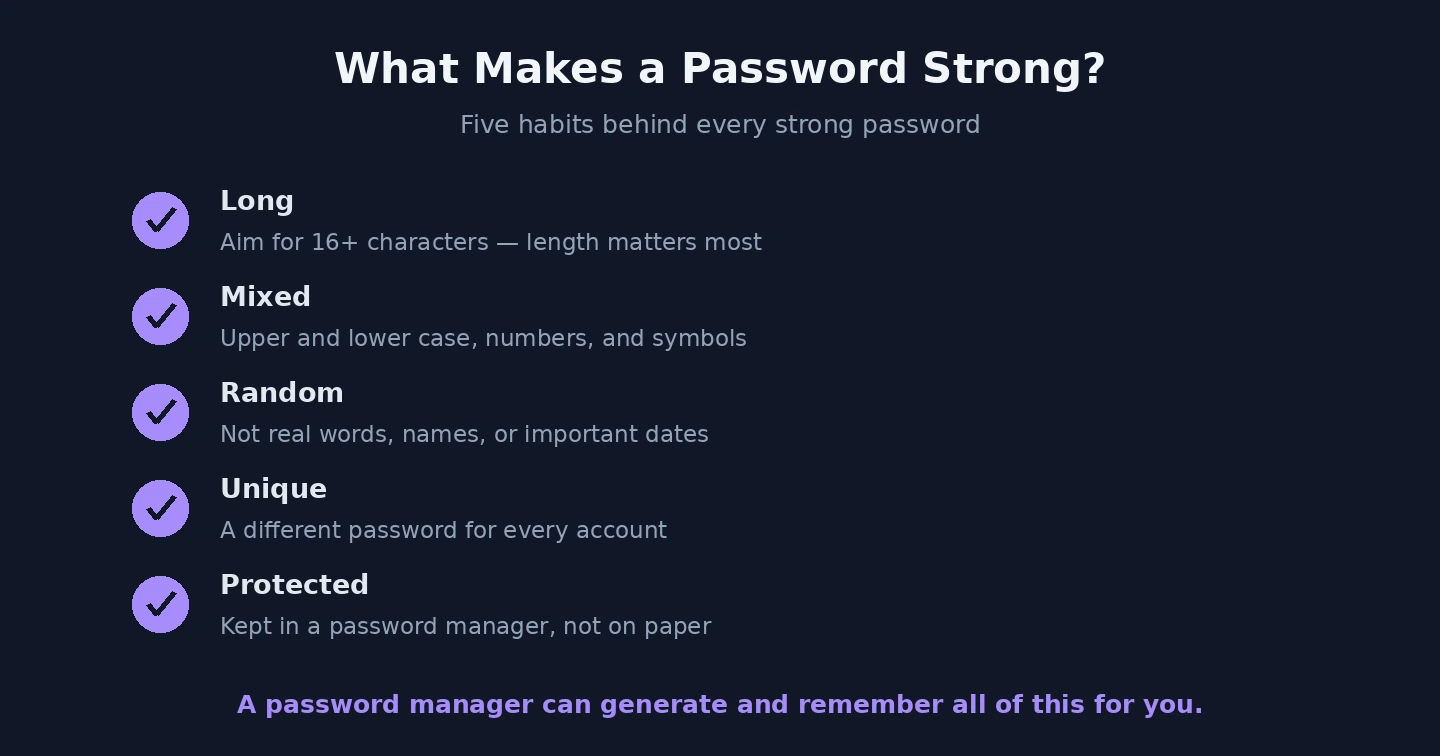
A strong password is long, random and unique — and ideally created for you. Bitwarden’s built-in generator is the best password generator for Bitwarden users — accessible when creating or editing any credential, it generates passwords of configurable length (up to 128 characters) with configurable character sets, and passphrases (random words separated by a chosen delimiter — more memorable while remaining very strong). Bitwarden’s generator runs locally; the generated password is never transmitted to Bitwarden’s servers. It is free for all Bitwarden users including the free tier.
1Password’s generator similarly provides the best password generator experience integrated into credential creation — configurable length, character sets, and passphrase generation with word count and separator customisation. 1Password’s generator also includes a “memorable” mode that creates pronounceable nonsense words that are cryptographically random but slightly easier to read aloud when a password must occasionally be typed manually.
Dashlane’s generator and the generators built into NordPass, Keeper, and LastPass all follow the same pattern — configurable random password generation integrated into the credential creation flow. Any of these is the best password generator for users of those respective password managers.
Best Password Generator: Standalone Web Tools
For users who need a generated password without a password manager session open, several standalone web-based best password generator tools run in the browser without transmitting credentials to a server.
Bitwarden’s web password generator (available at the Bitwarden website without logging in) generates passwords and passphrases client-side in the browser with no server transmission. It is the best password generator free web tool for users who want a trusted, open-source, no-signup option for occasional password generation.
A good generator builds passwords far harder to guess than anything you’d invent. 1Password’s online generator similarly generates passwords client-side in the browser, with an exceptionally clean interface and the option to generate passphrases in the style made famous by the XKCD comic (correct horse battery staple — four random common words that together create a highly memorable but strong credential). For explaining password strength to non-technical users, 1Password’s generator is the best password generator tool for demonstrating the passphrase approach.
Norton Password Generator provides a straightforward free browser-based generator with configurable character sets and length. Like Bitwarden’s web tool, it generates locally without transmission. The Norton Password Generator page is accessible without a Norton account.
Best Password Generator: Passphrases vs Random Strings
The best password generator for credentials you occasionally need to type (Wi-Fi password, primary email account, master password manager password) may produce a passphrase rather than a random character string. A passphrase of four or more random words — generated from a large dictionary — provides:
- Equivalent or greater cryptographic strength to a 12-character random string when words are chosen from a large dictionary randomly
- Significantly easier memorisation — “correct horse battery staple” is memorable; “xK8#mP2@qL5&vN” is not
- Easier typing when manual entry is required
The key requirement for a secure passphrase from the best password generator: the words must be randomly chosen from a large dictionary (1000+ words minimum, 7776-word Diceware list preferred), not chosen by a human or generated from predictable patterns. Human-chosen “passphrases” like “IloveParis2026!” are not secure despite their length, because they follow predictable emotional and structural patterns. A random four-word passphrase from a proper best password generator is orders of magnitude stronger than any human-constructed password of similar apparent complexity.
Best Password Generator: Command Line and Advanced Options
For technical users, command-line password generation is the best password generator approach for automation, scripting, and batch credential creation:

Generate, store, autofill — the tools handle the hard part so you never reuse passwords. - PowerShell (Windows):
[System.Web.Security.Membership]::GeneratePassword(20, 4)generates a 20-character password with at least 4 non-alphanumeric characters using the .NET cryptographic random number generator - OpenSSL:
openssl rand -base64 24generates 32 characters of cryptographically random base64 output — the best password generator approach for systems requiring only alphanumeric characters - KeePassXC CLI: KeePassXC (covered in our guide on the best open source software for Windows) includes a command-line interface with configurable password generation for batch credential creation in scripts
Best Password Generator: Length Recommendations by Account Type
Account Type Recommended Length Notes Email (primary) 20+ characters or 5-word passphrase Highest priority — controls account recovery for all other services Password manager master 25+ characters or 6-word passphrase Must be memorised — use passphrase for memorability Banking and financial 16+ characters Many banks impose maximum length limits — check before generating General accounts 16 characters Standard minimum for any account worth protecting Low-value accounts 12+ characters Still strong; appropriate for throwaway registrations The best password generator addresses only the creation of strong credentials. The second half of comprehensive password security — protecting accounts even when a password is stolen — is covered in our guide on the best two-factor authentication apps, which should be implemented alongside the best password generator for every important account. The EFF website at eff.org has resources on the Diceware passphrase generation method that provides an offline best password generator approach using physical dice and a word list.
Generating strong passwords is one piece of a broader defence. For how it fits alongside two-factor authentication, device protection, and safe browsing, see our complete guide to security and privacy.