-
The best font manager for Windows solves a problem that every designer, typographer, and creative professional eventually faces: a system bloated with hundreds or thousands of installed fonts, none of which can be found quickly when needed, many of which slow application launch times, and some of which are duplicates taking up space without providing any additional creative value. Windows allows fonts to be installed system-wide, but offers no tools beyond a basic preview panel for organising, searching, or activating only the fonts a specific project needs. The best font manager for Windows fills this gap — providing a browsable, searchable font library with preview, categorisation, tagging, deduplication, and selective activation so that only the fonts a current project needs are loaded into memory. This guide covers the best font manager for Windows in 2026 — evaluated on preview quality, organisation features, activation control, Adobe and Figma integration, and pricing. For a broader walkthrough, our Complete Guide to Windows Software is a good next read.
The performance case for the best font manager for Windows is particularly compelling for designers who have installed hundreds of fonts over years. Every font permanently installed to Windows is loaded by every application at launch — Adobe Photoshop, Illustrator, and InDesign in particular load all system fonts at startup, and with 500 or more fonts installed, this adds noticeable launch time and memory overhead. The best font manager for Windows addresses this through on-demand activation — keeping fonts in a library but installing them into Windows only when a specific project or session needs them, and deactivating them afterwards.
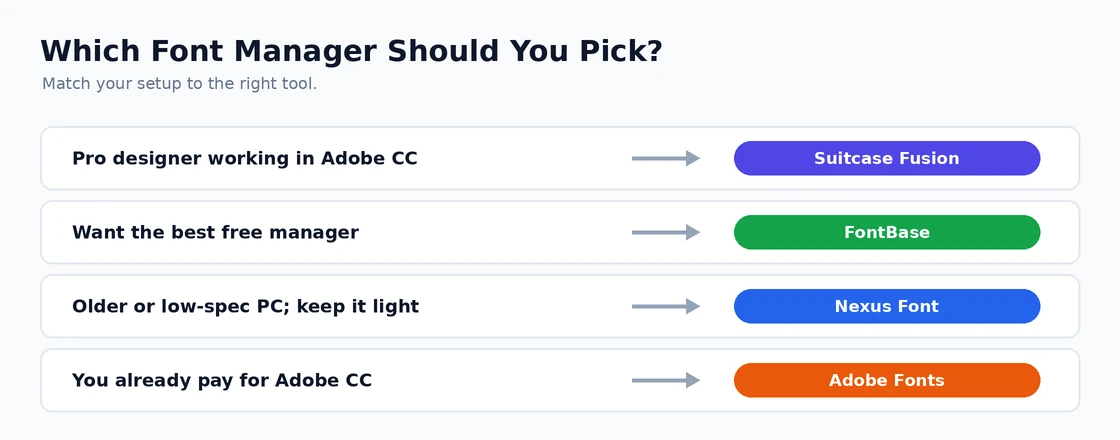
Matching your setup to the right Windows font manager. Best Font Manager for Windows: Top Picks
1. Suitcase Fusion — Best Font Manager for Windows for Professional Designers
Suitcase Fusion by Extensis is the best font manager for Windows for professional designers and design teams who need enterprise-grade font management with Adobe application integration. Its auto-activation plugins for Adobe Photoshop, Illustrator, InDesign, and QuarkXPress automatically activate the fonts a document requires when the document is opened — regardless of whether those fonts are currently installed in Windows — and deactivate them when the document closes. This workflow means designers never encounter “font not found” errors when opening client files on any machine that has Suitcase Fusion installed and the required font in its library. Key features:
- Auto-activation for all major Adobe Creative Cloud applications
- Font library with smart search, tagging, and custom sets
- Side-by-side font comparison — view multiple fonts at the same text and size simultaneously
- Google Fonts integration — browse and add Google Fonts directly from within Suitcase
- Team font sharing (Suitcase TeamSync) — shared font library across a design team with synchronised activation
- Duplicate detection and font conflict resolution
Suitcase Fusion is priced at approximately £12/month per user. For design teams and agencies where consistent font management across multiple machines is a workflow requirement, the auto-activation plugins alone justify the subscription. The Extensis website covers the current Suitcase Fusion features and the TeamSync collaboration options.
2. FontBase — Best Free Font Manager for Windows
FontBase is the best font manager for Windows free option — providing a clean, modern interface for browsing, activating, and organising fonts with Google Fonts integration at zero cost. Its activation system keeps fonts out of Windows’ system font folder until explicitly activated, reducing the performance overhead of a large font collection. Features included in the free tier:
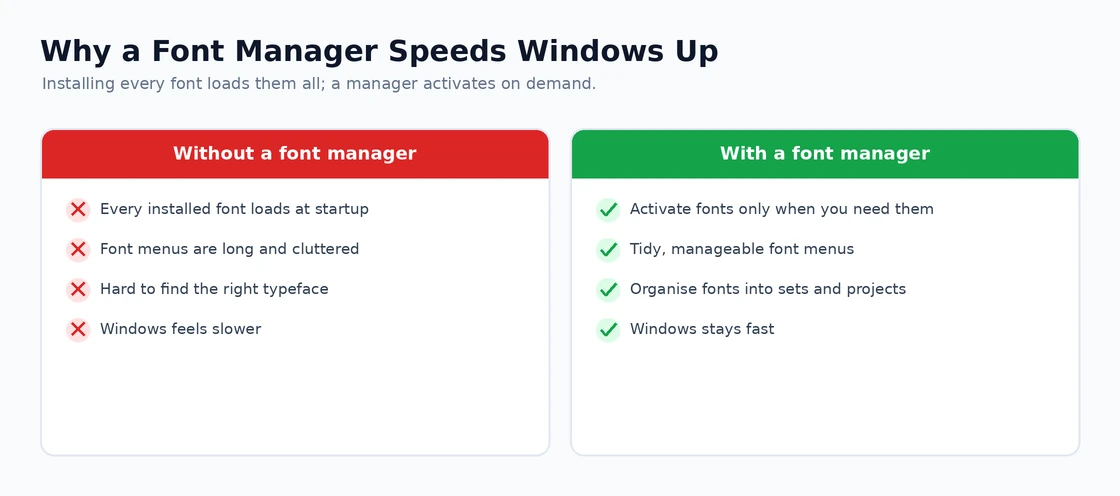
Activating fonts on demand keeps Windows fast and font menus tidy. - Google Fonts library — browse and activate any Google Font without downloading separately
- Local font library with folder monitoring — FontBase watches specified folders and keeps its library in sync as fonts are added or removed
- Collection organisation — group fonts into named collections for different projects or clients
- Font preview with custom text — type any text to preview how specific fonts render
- Activation status visible at a glance — clear indicators of which fonts are currently active in Windows
FontBase Pro at approximately £30/year adds Adobe auto-activation plugins, Figma integration, and advanced filtering. For designers who primarily need a browsable, organised font library with Google Fonts access and do not require Adobe auto-activation, the free tier of FontBase is the best font manager for Windows at zero cost. The FontBase website covers the free vs Pro feature comparison.
3. Nexus Font — Best Lightweight Free Font Manager for Windows
Nexus Font is the best font manager for Windows for users who want a lightweight, portable font viewer and manager without cloud features or subscription costs. It is completely free, runs without installation (portable), and provides a simple two-panel interface — font list on the left, preview on the right — with the ability to activate and deactivate fonts, group them into named sets, and compare multiple fonts in a side-by-side preview. Nexus Font cannot match Suitcase Fusion’s integration depth or FontBase’s Google Fonts access, but for individual designers who want basic font organisation and activation control at zero cost and zero complexity, it is the best font manager for Windows for that specific need.
4. Adobe Fonts — Best Font Manager for Windows for Adobe Creative Cloud Users
Adobe Fonts (formerly Typekit) is included with every Adobe Creative Cloud subscription and provides access to over 20,000 licensed fonts that can be activated and used in any Adobe application or website without additional cost beyond the existing subscription. While not a traditional best font manager for Windows, Adobe Fonts acts as one for Creative Cloud subscribers — browse the full library in the browser, activate chosen fonts with one click, and they appear immediately in all installed Adobe applications. For designers who already pay for Creative Cloud, Adobe Fonts provides the best font manager for Windows for expanding the available typeface selection beyond installed local fonts without any additional tool or cost. The Adobe Fonts website covers the current library and activation process.
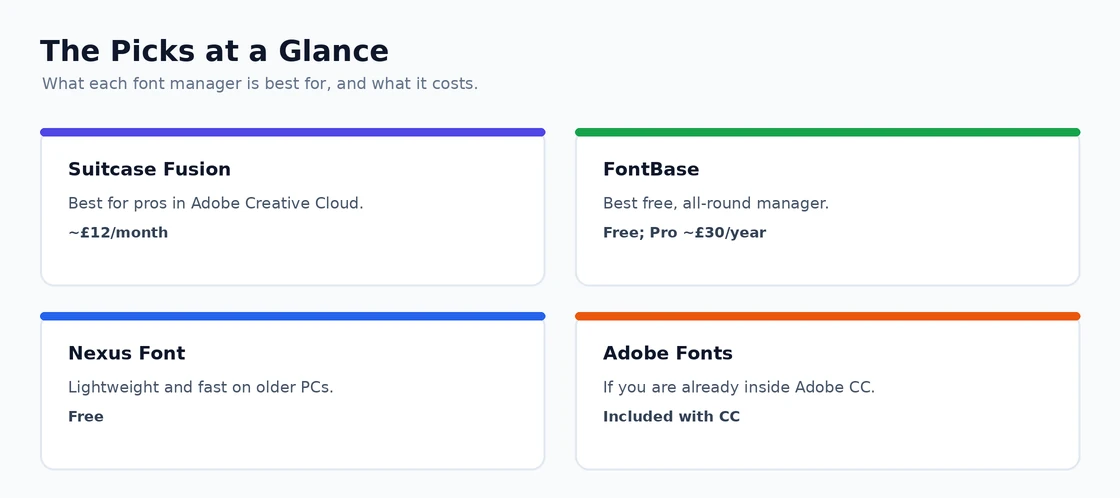
What each font manager is best for, and what it costs. Best Font Manager for Windows: Organisation Best Practices
Whichever best font manager for Windows you choose, these organisational practices keep a large font collection manageable:
- Remove duplicates first — Before organising, identify and remove duplicate fonts. Multiple versions of the same font family (from different sources, with different file names) cause conflicts in design applications. Most best font manager for Windows tools include duplicate detection — run it before building your library structure.
- Create project-based sets or collections — Rather than organising by font type (serif, sans-serif, display), create collections for active client projects. “Client A Brand Fonts”, “Website Redesign Project” — these collections make it immediately clear which fonts a project needs.
- Keep the permanently installed fonts minimal — Only fonts used daily should be permanently installed in Windows. Everything else should live in the best font manager for Windows library and be activated on demand.
- Tag fonts by mood and use case — Tags like “elegant”, “technical”, “display only”, “body text”, and “headlines” allow the best font manager for Windows search to surface relevant options for a new project quickly.
- Use custom preview text — Replace the best font manager for Windows default “The quick brown fox” preview with text relevant to your current project — the client’s business name, the headline copy — so preview comparison reflects real-world usage.
The best font manager for Windows is one component of a complete design workflow. Our guide on the best graphic design software covers the design applications that the best font manager for Windows integrates with, and our article on the best cloud storage for business covers where to store and share font libraries in a design team environment.
Best Font Manager for Windows: Five Picks for Designers
Discover the best font manager for Windows covering font preview, organisation, activation on demand, duplicate detection, and design software integration — so you find the right font instantly every time.