Most of us treat our phone number as a harmless, public detail — we hand it out to shops, print it on forms, and post it without a second thought. Yet that same number is quietly the master key to your digital life, because it is where your bank sends verification codes and where password resets land. SIM swapping is the attack that exploits exactly this, and it can empty your accounts without ever touching your phone or guessing a single password.
In a SIM swap, a criminal persuades your mobile carrier to move your phone number onto a SIM card they control. From that moment your calls and texts — including every security code — go to them instead of you. It is a frightening prospect, but it is also very defendable once you understand how it works and take a few concrete steps.
This guide explains, in plain terms, what SIM swapping is, exactly how these attacks unfold, the warning signs that it is happening to you, the steps to lock your number down before it does, and what to do immediately if you are targeted. None of the protection is complicated, and most of it takes only a few minutes to put in place.
What Is SIM Swapping?
SIM swapping — also called SIM hijacking or a port-out scam — is a form of fraud where an attacker transfers your mobile number to a SIM card in their own phone. Crucially, they do not hack your device or your network. Instead, they trick your carrier’s staff into believing they are you, and simply ask for your number to be moved, usually claiming a lost or damaged handset.
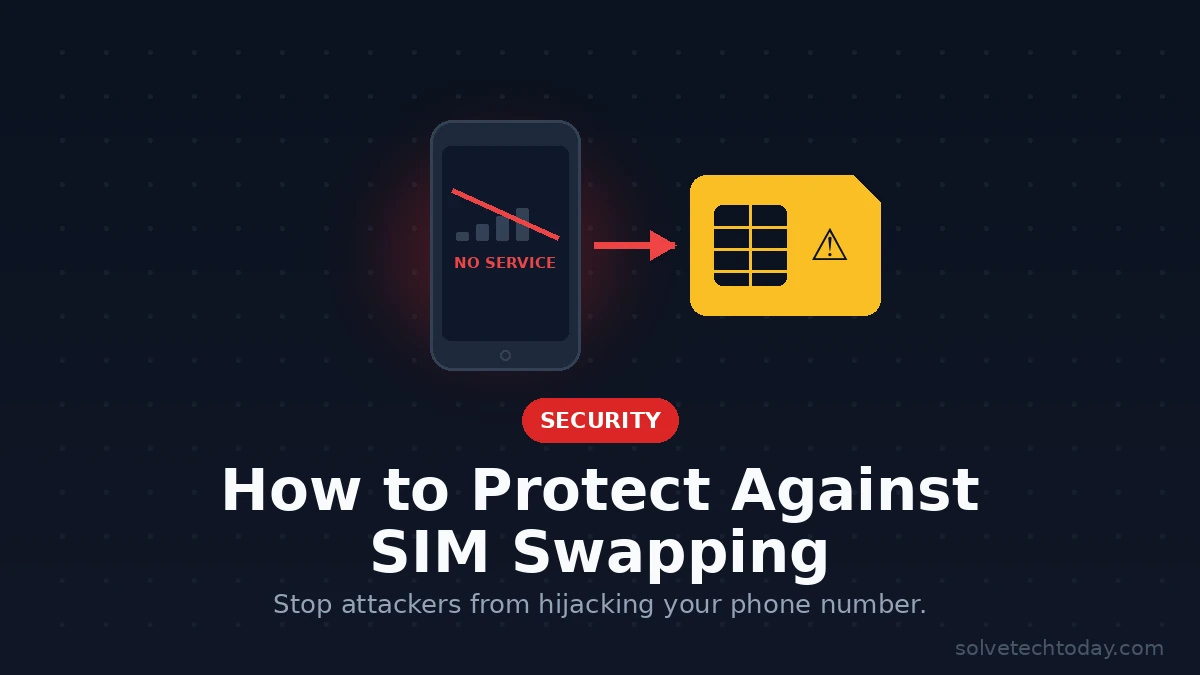
Once the transfer goes through, your own phone abruptly loses service, and every call and text meant for you arrives on the attacker’s device. That includes the one-time codes sent by SMS for two-factor authentication, which is the whole point of the exercise. With those codes in hand, they can reset the passwords on your email, banking, and other accounts and lock you out entirely.
The reason SIM swapping is so dangerous is that your phone number sits at the centre of so much account recovery. Email, banking, social media, and cryptocurrency accounts frequently fall back on a text message to prove it is really you. Defeat that one link, and an attacker can cascade through your entire online presence. Understanding this is the first step in learning how to break the chain, and it pairs closely with knowing how to prevent account takeover more broadly.
How a SIM Swap Attack Actually Works
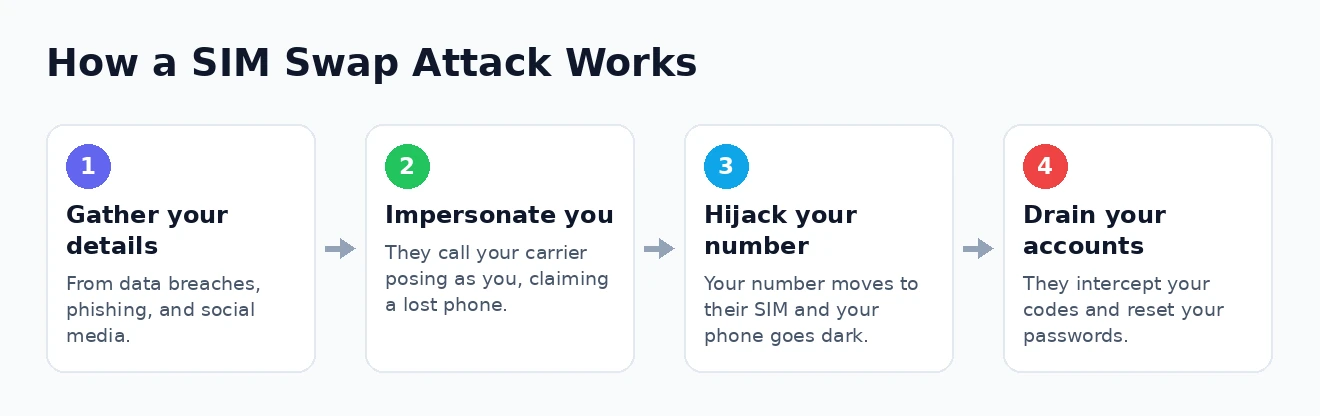
These attacks are less about technical wizardry and more about persuasion and preparation. It helps to see the sequence, because each stage is a point where good habits can stop the whole thing. A typical SIM swap unfolds in a predictable order.
- Gathering your information. The attacker first collects personal details about you — full name, address, date of birth, the carrier you use, perhaps the answers to common security questions. This comes from data breaches, phishing, social media oversharing, and data brokers who sell personal profiles.
- Contacting your carrier. Armed with that information, they call or visit your mobile provider posing as you, often claiming their phone was lost or broken and that they need the number moved to a new SIM.
- Passing the identity check. Using the details they gathered, they answer the carrier’s verification questions convincingly. In some cases they bribe or trick an insider, or exploit weak checks, to push the transfer through.
- Taking over your number. The carrier ports your number to the attacker’s SIM. Your phone loses signal, and their device now receives all of your calls and texts.
- Draining your accounts. They trigger password resets and intercept the SMS codes, then move quickly through your email, bank, and other accounts before you can react.
The speed of that final stage is what makes SIM swapping so damaging — a determined attacker can do enormous harm in the short window before you realise anything is wrong. That is also why the personal information stage matters so much: the harder you make it to impersonate you, the more likely the attack stalls before it begins. Reducing what is publicly known about you, as covered in our guide to protecting your online identity, quietly removes the raw material these criminals depend on.
The Warning Signs You Are Being Targeted
Because a SIM swap cuts your phone off from the network, it tends to announce itself if you know what to watch for. Spotting it in the first few minutes gives you a fighting chance to intervene before real damage is done, so these signals are worth committing to memory.
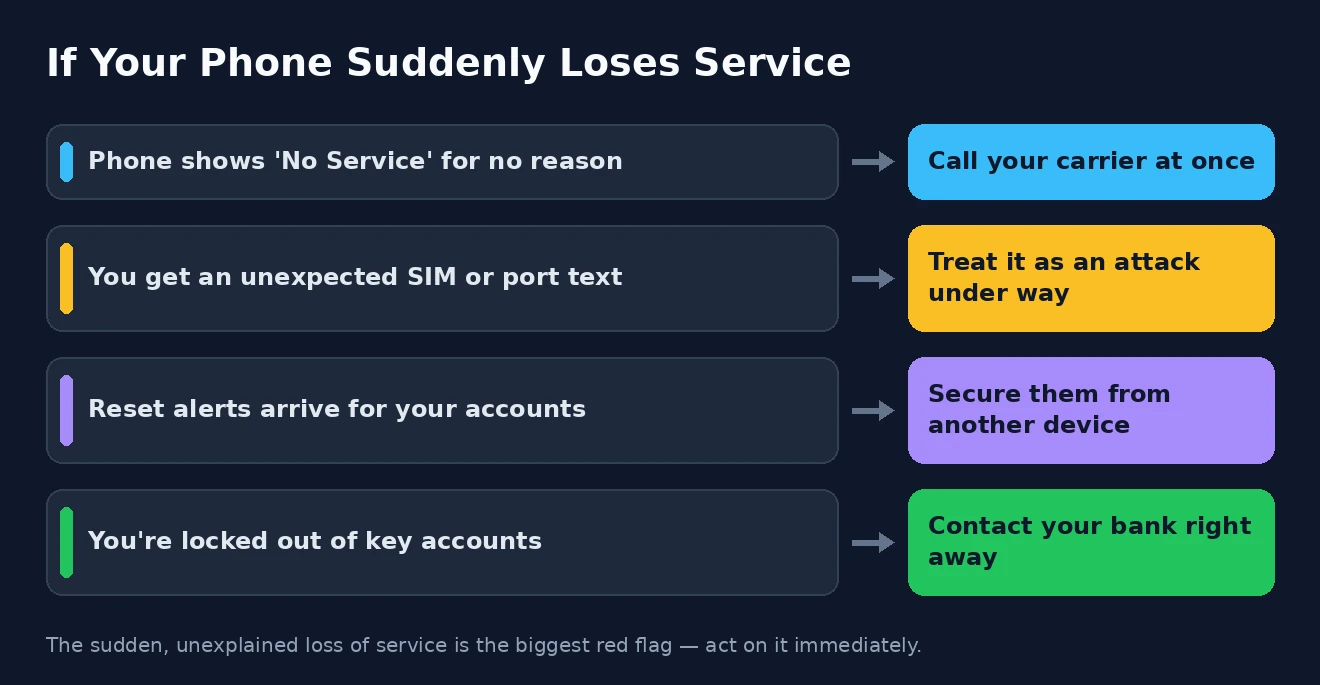
- Sudden loss of service. Your phone unexpectedly shows “No Service” or “SOS only” and cannot make calls or send texts, even though there is no network outage and others around you are fine.
- Unexpected carrier messages. You receive a text or email about a SIM change, a number transfer, or a porting request that you did not initiate.
- Notifications you did not trigger. Password-reset emails, security alerts, or two-factor prompts start arriving for accounts you were not trying to access.
- Being locked out. You suddenly cannot log in to your email or other accounts, or find your password no longer works.
The single most important signal is that abrupt loss of service for no obvious reason. It is easy to dismiss as a network glitch, but if your phone goes dark and stays dark while everyone else’s works, treat it as a possible SIM swap and act immediately rather than waiting for it to sort itself out. A few minutes of suspicion can save you a great deal of grief.
How to Lock Down Your Phone Number
The good news is that the most effective defence against SIM swapping is also one of the simplest: adding a dedicated security layer with your carrier. Every major mobile provider now offers some form of port-out protection, though it goes by different names and is rarely switched on by default. This should be your very first move.
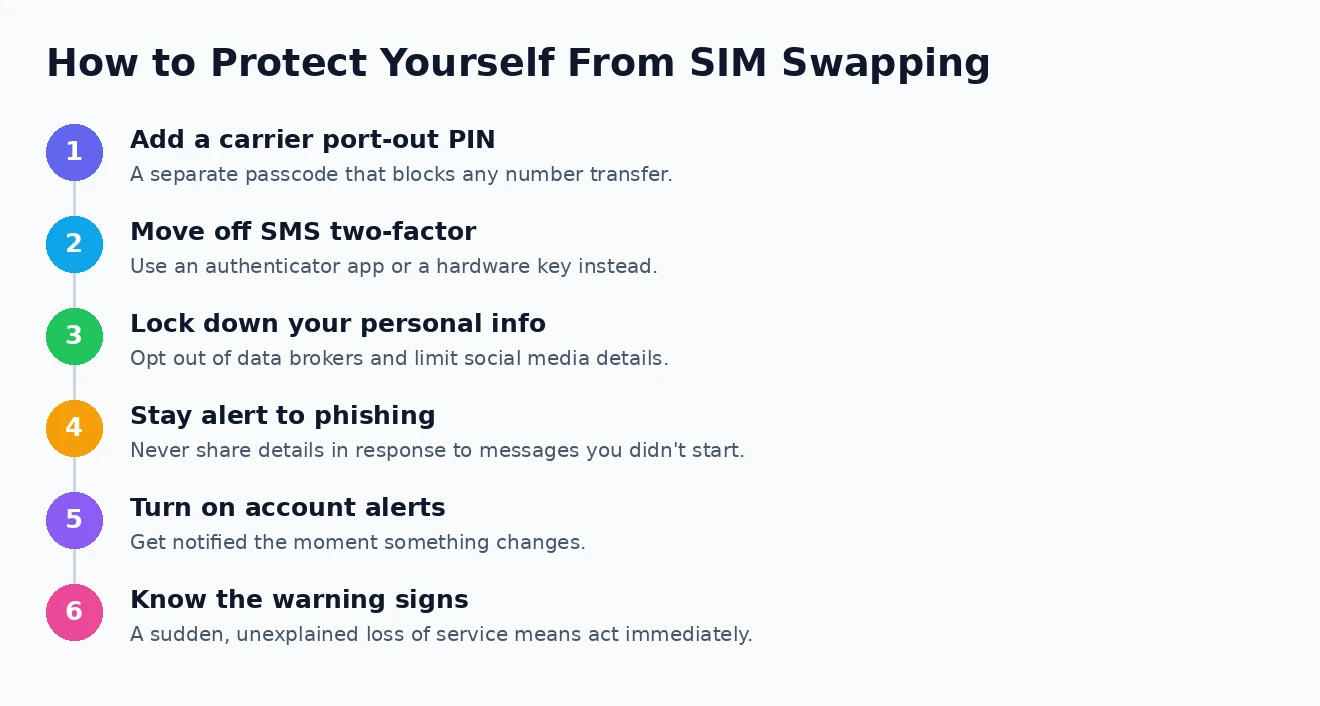
Contact your carrier — through their app, website, or a call — and ask them to add a port-out PIN, a number-lock, or a SIM-protection feature to your account. This is a separate passcode, distinct from your voicemail or account login, that must be provided before your number can ever be transferred or a new SIM issued. With it in place, an attacker who has all your other details still cannot move your number without that PIN, which stops most SIM swaps dead.
Think of a carrier port-out PIN as a deadbolt on your phone number. Your regular account password is the front-door lock everyone expects; the port PIN is the extra bolt that a stranger, however convincing, simply cannot open.
While you are at it, choose a PIN that is not easily guessed — avoid your birthday, address digits, or anything that might appear in a data breach — and do not reuse a code from elsewhere. Treat it with the same care you would a strong password. This one step, more than any other, is what turns your number from an open door into a locked one.
Move Beyond SMS Two-Factor Authentication
The reason a hijacked number is so powerful is that it intercepts security codes sent by text. So the second pillar of protection is to stop relying on SMS for two-factor authentication wherever you can, and switch to methods a SIM swap cannot touch. This shrinks the prize even if an attacker does seize your number.
The best alternative for most people is an authenticator app, which generates codes on your device itself rather than sending them over the network. Because those codes never travel as a text message, controlling your phone number gives an attacker no access to them at all. Our comparison of authenticator apps walks through the leading options, and setting one up takes only a few minutes per account. For a full walkthrough, see our guide on how to enable two-factor authentication properly.
For your most sensitive accounts — primary email, banking, anything holding money or crypto — a physical security key is stronger still, since it requires the actual device in hand to log in. Where you genuinely cannot avoid SMS codes, that is not a disaster; it simply makes the carrier port-out PIN from the previous section all the more essential. The goal is layered defence: even if one barrier falls, another stands behind it.
Reduce the Personal Information Attackers Need
SIM swaps succeed because the attacker can convincingly impersonate you, and that requires knowing your personal details. Starve them of that information and the whole scheme becomes far harder to pull off. This is a slower, ongoing kind of protection, but it pays dividends against many threats beyond this one.
Start by being mindful of what you share publicly, especially on social media, where birthdays, hometowns, pet names, and family details are exactly the fodder used to answer security questions. Then tackle the data brokers who compile and sell profiles of you; opting out of these services meaningfully reduces the personal information floating around for sale. It is also worth staying alert to keeping your phone itself secure, since a compromised handset leaks the very details an attacker wants.
Phishing deserves particular attention here, because it is how criminals gather the fresh, specific information a carrier’s checks demand. Be sceptical of any unexpected message asking you to confirm account details, and never hand over personal information in response to a call or text you did not initiate. The less an attacker can learn about you, the more likely a carrier representative is to turn them away.
What to Do If You Are SIM Swapped
If you suspect an attack is under way — your phone has gone dark, or you are seeing reset notifications — speed matters enormously. Acting within minutes rather than hours can be the difference between a scare and a serious loss. Work through these steps as quickly as you can.
- Contact your carrier immediately from another phone, explain that you believe your number has been hijacked, and demand that they regain control of it and freeze any further changes.
- Secure your key accounts from a trusted device. Change the passwords on your email first, then banking and any financial accounts, and remove the compromised number as a recovery method.
- Alert your bank and card providers so they can watch for and block fraudulent transactions, and consider placing a freeze on your credit.
- Report the crime. File a report with the relevant authorities and your local police, which creates a record you may need for disputes and recovery.
Once the immediate fire is out, take the time to review every important account for unauthorised changes and to put the protections from this guide in place so it cannot happen again. If the attackers managed to misuse your identity, our step-by-step guide to identity theft recovery covers the longer road back. Government resources can help too: the FCC website has resources you may find useful on your rights around number transfers, and the FTC website has resources you may find useful for recovering from fraud.
SIM Swapping: Frequently Asked Questions
What is SIM swapping in simple terms?
It is when a criminal tricks your mobile carrier into moving your phone number to a SIM card they control. Your phone then loses service, and they receive your calls and texts — including security codes — which they use to break into your accounts. They never need to touch your actual phone.
How do I know if I have been SIM swapped?
The clearest sign is your phone suddenly losing all service — showing “No Service” with no outage — while being unable to call or text. You might also get unexpected messages about a SIM or number change, or a wave of password-reset and login alerts for your accounts.
How can I protect myself from SIM swapping?
The two most powerful steps are adding a port-out PIN or number-lock with your carrier, and moving your two-factor authentication from SMS to an authenticator app or a hardware key. Reducing the personal information available about you online makes it harder for attackers to impersonate you in the first place.
Is SMS two-factor authentication still worth using?
It is far better than no second factor at all, so keep it where nothing else is offered. But because SIM swapping specifically defeats it, you should switch to an app-based or hardware method for any important account whenever you have the option.
SIM swapping is a genuinely serious threat, but it is not an unstoppable one. Lock your number down with a carrier PIN, move your codes off SMS, guard your personal information, and know the warning signs — and you turn yourself from an easy target into one most attackers will simply give up on. A few minutes spent now is the best insurance you can buy against a very bad day.