
Most secure file sharing failures happen on the recipient’s side rather than the sender’s. You spend time setting up strong encryption, choosing the right tool, communicating securely about the password — and then the recipient cannot figure out how to extract the file because they have never used the tool you chose, they install the wrong software, they share the password through the same channel as the file, or they give up entirely and ask you to send it through ordinary email instead. The result is either security theatre where the encryption gets bypassed, or genuine workflow failure where the file never gets delivered.
This dynamic determines the right secure file sharing software more than any feature comparison. The most secure tool with the worst recipient experience produces less actual security than a moderately secure tool that recipients can use easily. The “best” secure file sharing software is therefore the one your typical recipients can actually decrypt without confusion, not the one with the strongest cryptography. Articles that focus on technical features miss this entirely and recommend tools that fail in practice.
This guide is structured around the recipient experience as the primary criterion. For broader context on the security software stack where file sharing tools sit, our guide to the best software and apps covers the adjacent categories.
For Recipients Who Will Click a Link and Download: Tresorit Send
Tresorit Send (free for files up to 5 GB, paid plans included in broader Tresorit subscriptions; tresorit.com/send) is the secure file sharing tool optimised for the recipient experience above all else. The workflow on the recipient side is genuinely simple — they receive a link, click it, optionally enter a password if you set one, and download the file through their browser. No software to install, no account to create, no technical knowledge required.
The security model is genuine despite the simple recipient experience. Files are encrypted client-side before upload, the encryption keys are not stored with Tresorit’s servers, and the link-plus-password combination is what permits decryption. The recipient’s browser handles the decryption transparently. For most file sharing scenarios where you need encryption-in-transit and protection against the cloud provider seeing the contents, Tresorit Send produces strong security with minimal recipient friction.
The case for Tresorit Send specifically is when your recipients are non-technical users who will not install dedicated decryption tools. Lawyers sharing case files with clients who use whatever computer they have, accountants sharing financial documents with small business owners, doctors sharing medical records with patients — all of these scenarios have recipients whose technical capability and patience cannot be assumed. Tresorit Send produces a workflow that works for these recipients in ways that more demanding alternatives do not.
The realistic concerns are about the free tier limits and the corporate ownership question. The free tier supports files up to 5 GB and link expiry up to 7 days, which covers most realistic sharing scenarios but not all. The paid Tresorit subscription extends these limits and adds features like recipient verification and tracking. The company is Swiss-based with strong privacy positioning, which appeals to users who specifically want to avoid US-based cloud providers for legal and policy reasons.
For users whose primary concern is recipients being able to actually decrypt what you send, Tresorit Send is the strong default. Other tools may offer slightly stronger technical security but produce recipient experiences that defeat the security in practice.
For Recipients in the Proton Ecosystem: ProtonDrive Sharing
ProtonDrive (proton.me/drive) is the secure file storage and sharing service from the Swiss company that makes ProtonMail, with sharing capabilities that integrate well with Proton’s broader security tooling. For users already in the Proton ecosystem or sharing with other Proton users, the integration matters.
The case for ProtonDrive sharing specifically is when both you and your recipients are already using Proton services. The end-to-end encryption is genuine, the metadata protection is stronger than most alternatives, and recipients with Proton accounts can decrypt shares directly within their Proton experience without separate handling. For privacy-focused users who have committed to the Proton ecosystem broadly, ProtonDrive is the natural file sharing tool.
The case against for general use is that recipients without Proton accounts get a less smooth experience. The link-based sharing works for non-Proton recipients but the workflow is somewhat more complex than Tresorit Send’s. For specifically privacy-sensitive sharing where recipients can be expected to create Proton accounts (journalists working with sources, activists coordinating with allies, professionals in privacy-sensitive contexts), the friction is acceptable. For general business use where recipients want minimum friction, Tresorit Send produces a smoother experience.
The pricing model is positioned around the broader Proton subscription. ProtonDrive is included in Proton Unlimited subscriptions ($9.99/month or $7.99/month annually) that bundle Mail, Drive, VPN, and Pass. For users who would benefit from the broader bundle, the file sharing capability comes essentially free. For users specifically wanting file sharing only, dedicated tools are more appropriately priced.
For Encrypted Text and Small Files: Bitwarden Send
Bitwarden Send (included with Bitwarden’s free and paid tiers; bitwarden.com/products/send) is the secure sharing tool for specifically narrow use cases — sharing text content (passwords, API keys, secret URLs) or small files with strong encryption and tight time limits. The product is bundled with Bitwarden’s password manager but works as a standalone capability.
The case for Bitwarden Send specifically is when your secure sharing need is text or small files (up to 100 MB free, 500 MB on paid Bitwarden tiers) rather than large documents or media. Sharing a temporary password with a colleague, sending API credentials to a contractor, providing a one-time secret URL — all of these workflows are served better by Bitwarden Send than by general-purpose file sharing tools because the workflow is optimised for the small-secret use case.
The strengths are concentrated in the workflow design. You create a Send within the Bitwarden interface, set the expiration (which can be very short — minutes or hours), set view limits (the Send can self-destruct after being viewed once), optionally set a password, and share the resulting link. The recipient sees the content through the browser without needing a Bitwarden account, and the Send becomes inaccessible after expiration or view limit.
The realistic limit for Bitwarden Send is the file size cap. For documents under 100 MB, Bitwarden Send works excellently. For larger files (photo collections, video files, large datasets), the file size limit makes Bitwarden Send the wrong choice and Tresorit Send becomes the right alternative. Most users benefit from having both tools available — Bitwarden Send for the frequent text-and-small-file cases, Tresorit Send for larger files.
Our password manager comparison covers Bitwarden in its primary capacity as a password manager, which is what justifies installing it in the first place; the Send feature becomes a useful bonus for users already on Bitwarden.
For Technical Recipients With Maximum Privacy Needs: OnionShare
OnionShare (free, open-source; onionshare.org) is the secure file sharing tool for users whose recipients are technically capable and where the privacy needs are genuinely extreme. The product uses Tor (the anonymity network) to share files directly between the sender’s computer and the recipient’s computer without going through any third-party server.
The case for OnionShare specifically is for journalist-to-source communication, activist coordination in repressive contexts, or other scenarios where even the metadata of who is sharing what with whom needs protection. The peer-to-peer nature means there is no central server holding any record of the share; the Tor network anonymises the IP addresses on both ends; and the recipient downloads directly from the sender’s computer through the Tor network.
The realistic concerns with OnionShare are about the recipient experience and the operational requirements. The recipient must install the Tor Browser and navigate to a special URL, which is more friction than the standard file sharing tools. The sender’s computer must remain online during the transfer because OnionShare is genuinely peer-to-peer. Large file transfers over Tor are slower than over standard internet connections. For users in the specific extreme-privacy use case, these costs are acceptable; for ordinary secure sharing, they exceed the benefit.

The recommendation is narrow: OnionShare is the right tool when you specifically need the metadata protection that no centralised service can provide, and your recipients are capable of using Tor Browser. For general “I want to send a file securely” use, the friction is not worth the additional protection.
For Standard Cloud Service File Sharing With Encryption: Encrypted Containers
One workflow worth understanding is using standard cloud services (Google Drive, Dropbox, OneDrive) for delivery while applying encryption separately. The pattern: encrypt the file locally using Cryptomator or 7-Zip with strong encryption, upload the encrypted file to your cloud service, share the cloud link with the recipient through one channel, and share the decryption password through a different channel.
The case for this approach is when you specifically want to use cloud infrastructure you already pay for rather than introducing another tool. The encryption layer is what you control; the cloud service handles the delivery; the security relies on the encryption being properly implemented and the password being communicated out-of-band.
The realistic friction is the recipient’s decryption step. If you encrypt with Cryptomator, the recipient needs Cryptomator installed to decrypt (free but requires installation). If you encrypt with 7-Zip and a strong password using 7Z format, the recipient needs 7-Zip or compatible software. For technical recipients this is fine; for non-technical recipients the friction may be enough to defeat the workflow.
This pattern works well in specific contexts: ongoing collaboration with the same recipients who have done the setup once, internal corporate transfers where IT departments have ensured the necessary software is installed everywhere, or any situation where recipient capability can be reasonably assumed. For one-time transfers to recipients of unknown capability, the dedicated tools above produce more reliable outcomes. Our encryption software comparison covers the local encryption tools in depth.
The Cloud Storage Versus Dedicated Sharing Distinction
One framing point worth clarifying: standard cloud storage services (Google Drive, Dropbox, OneDrive) include file sharing features that are not the same as secure file sharing. The cloud service sees the file contents (because they hold the encryption keys), can be compelled to provide the contents through legal process, and the sharing security relies on access controls rather than on encryption preventing the service from reading the file.
For internal team sharing within an organisation that trusts its cloud provider, this is fine — the sharing security model matches the legitimate use case. For sharing genuinely sensitive content with parties outside the trusted boundary, the standard cloud sharing is meaningfully weaker than the dedicated secure tools above.
The practical implication is that standard cloud sharing and secure file sharing serve different purposes. Most users need both — standard cloud sharing for the bulk of routine file transfers (where convenience matters more than maximum security), dedicated secure tools for the specific files that genuinely need protection. Trying to use one tool for both purposes typically produces the wrong trade-offs for at least half of your use cases. Our cloud storage for business comparison covers the standard cloud sharing category in depth.
The Password Sharing Problem
One specific aspect of secure file sharing that affects all the tools is how you communicate the password to the recipient. The security of the entire workflow depends on the password reaching the recipient through a channel that does not also expose the file — sending the password in the same email as the file link defeats the encryption almost entirely because anyone who intercepts the email gets both.
The patterns that work for password sharing: text message if the file came by email (different channel), phone call if both came through email, in-person handoff for highest security, a separate secure messaging app (Signal) for both file and password if the messaging app’s security is part of your trust model. Each of these creates a meaningful gap between the file and the password that an interceptor of either alone cannot bridge.

The patterns that defeat the security: sending the password in the same email as the file link (most common failure), sharing through the same chat conversation that contains the file, posting both in the same Slack channel. These workflows feel convenient but eliminate the protection that the encryption provided.
For ongoing sharing with the same recipients, establishing a password-sharing channel once and reusing it across transfers is operationally smoother than re-establishing the channel for each share. Recipients who routinely receive encrypted files from you benefit from agreeing on a method upfront.
Verification and Trust Considerations
One layer of secure file sharing that goes beyond encryption is verifying that you are actually sharing with who you think you are. Encryption protects the file in transit; verification ensures you are sending to the intended recipient rather than an impostor.
For most professional contexts, the verification is implicit — you have communicated with the recipient through enough channels that confusing them with an impostor is unlikely. For higher-stakes contexts (journalism with anonymous sources, legal matters with confidential clients, security research with collaborators), explicit verification may matter.
The verification mechanisms vary by context: PGP signatures for users committed to that infrastructure, fingerprint verification through Signal or similar messaging apps, in-person verification at the start of relationships, or organisational trust through verified business communication channels. The right approach depends on your specific threat model and the value of the content being shared.
For most readers of this article, full verification protocols are overkill. The realistic threat is not sophisticated impersonation but ordinary interception and accidental disclosure, both of which encryption alone addresses. Our VPN comparison covers the related security tool for users building broader privacy infrastructure.
The Practical Recommendation
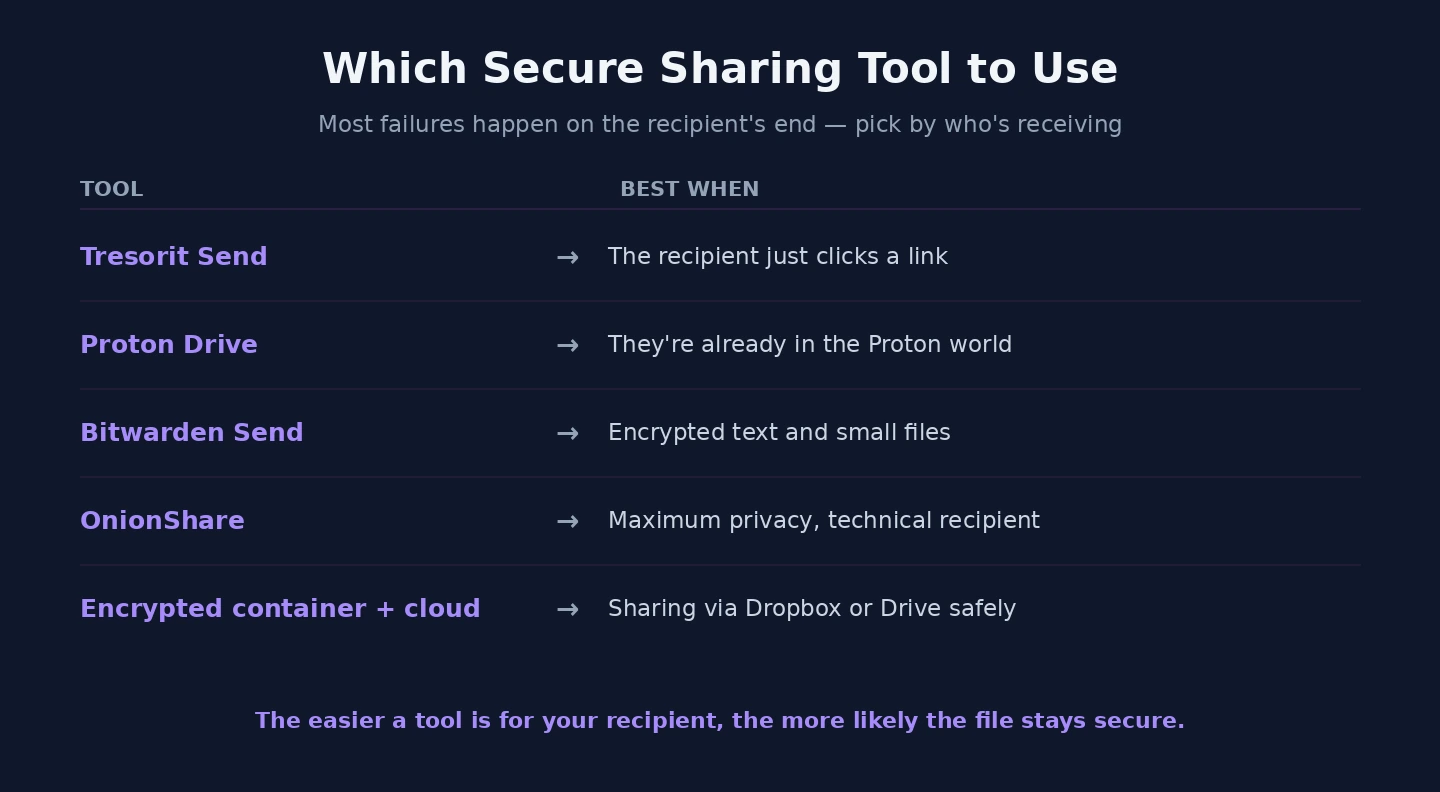
For most users in 2026, the answer follows from your typical recipient capabilities. For non-technical recipients who need to download a file from a link without installing anything: Tresorit Send as the strong default. For sharing within the Proton ecosystem or with Proton-using recipients: ProtonDrive. For text and small files with strong tight time limits: Bitwarden Send, especially if you already use Bitwarden as your password manager. For extreme-privacy scenarios with technical recipients capable of using Tor Browser: OnionShare. For users already invested in standard cloud services who want to add encryption: Cryptomator or 7-Zip with strong passwords applied locally, then standard cloud delivery. The wrong move is picking by technical security features alone without considering whether your recipients can actually use the resulting workflow, because security that fails in practice is no security at all. Match the tool to the recipients you actually share with, communicate passwords through different channels than the files, and the category produces real protection rather than theatre.