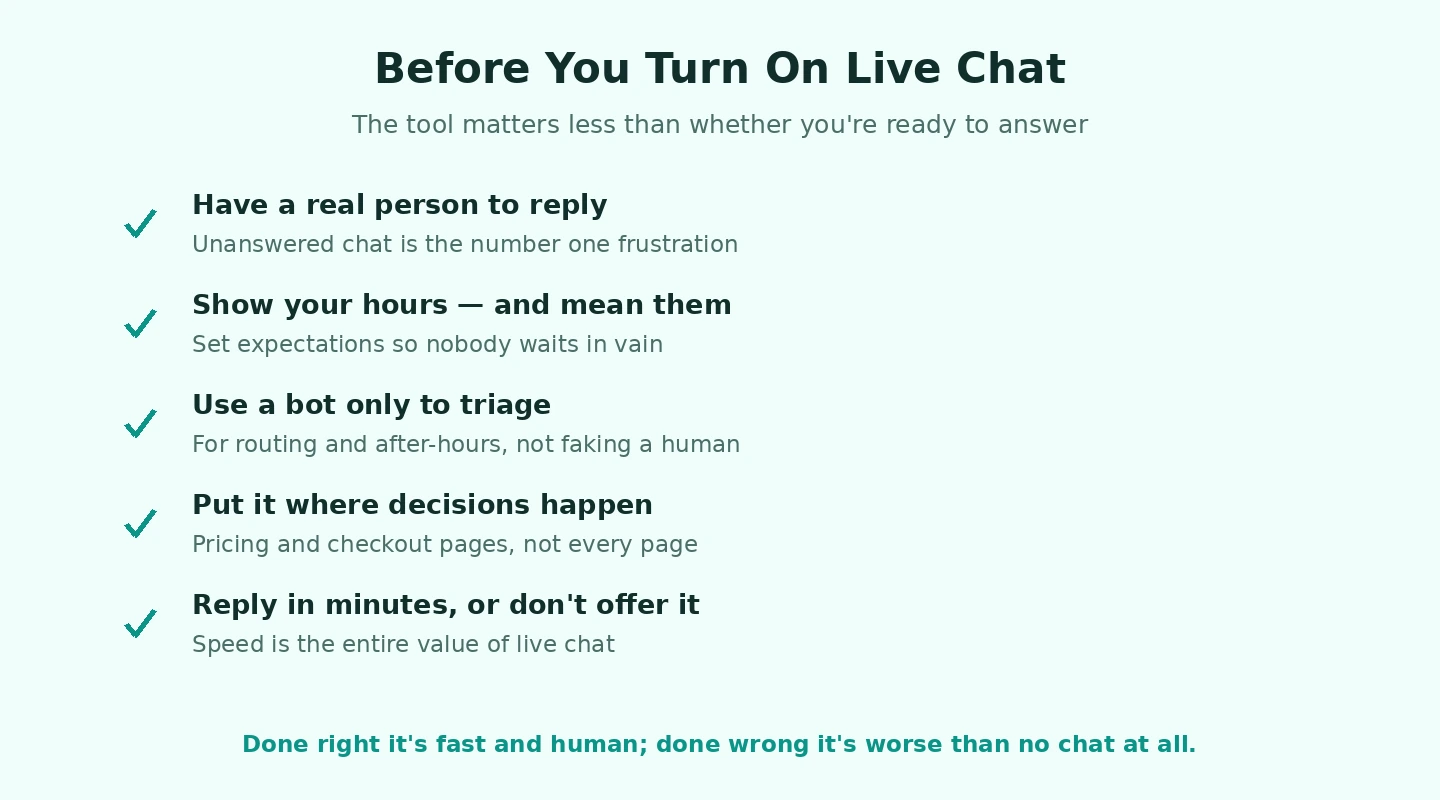
Before picking a live chat tool, answer one question honestly: do you have a person — a real human, on payroll, paid to be at a computer — who will be available to respond when someone types a message into the chat widget on your website? If the answer is no, do not install live chat software. The single biggest source of customer frustration with this category is widgets that look like a real-time chat option but route to no one, sitting unanswered for hours or days before generating an automated “we will get back to you” email that the customer could have received through your contact form anyway. The technology promises real-time conversation; if your operational reality cannot deliver it, the technology actively damages trust rather than building it.
This is the prerequisite check that most live chat software guides skip. The vendors selling these products have no incentive to surface it — they make money when you install their tool, regardless of whether you have the operational readiness to use it well. The vendors selling AI chatbots tell you their bots can handle responses without staffing, which is partially true (for very narrow FAQ-style queries) and largely overstated (anything beyond simple questions still needs a human, just one who can be paged in promptly). The honest framing is that live chat is an operational commitment that requires staffing, not a software installation that runs itself.
With that caveat clear, here are the live chat software platforms that actually work for businesses ready to commit to staffing them properly. For broader context on the customer-facing communication stack, our guide to the best software and apps covers the adjacent categories.
Intercom: The Comprehensive Default for SaaS and Mid-Market
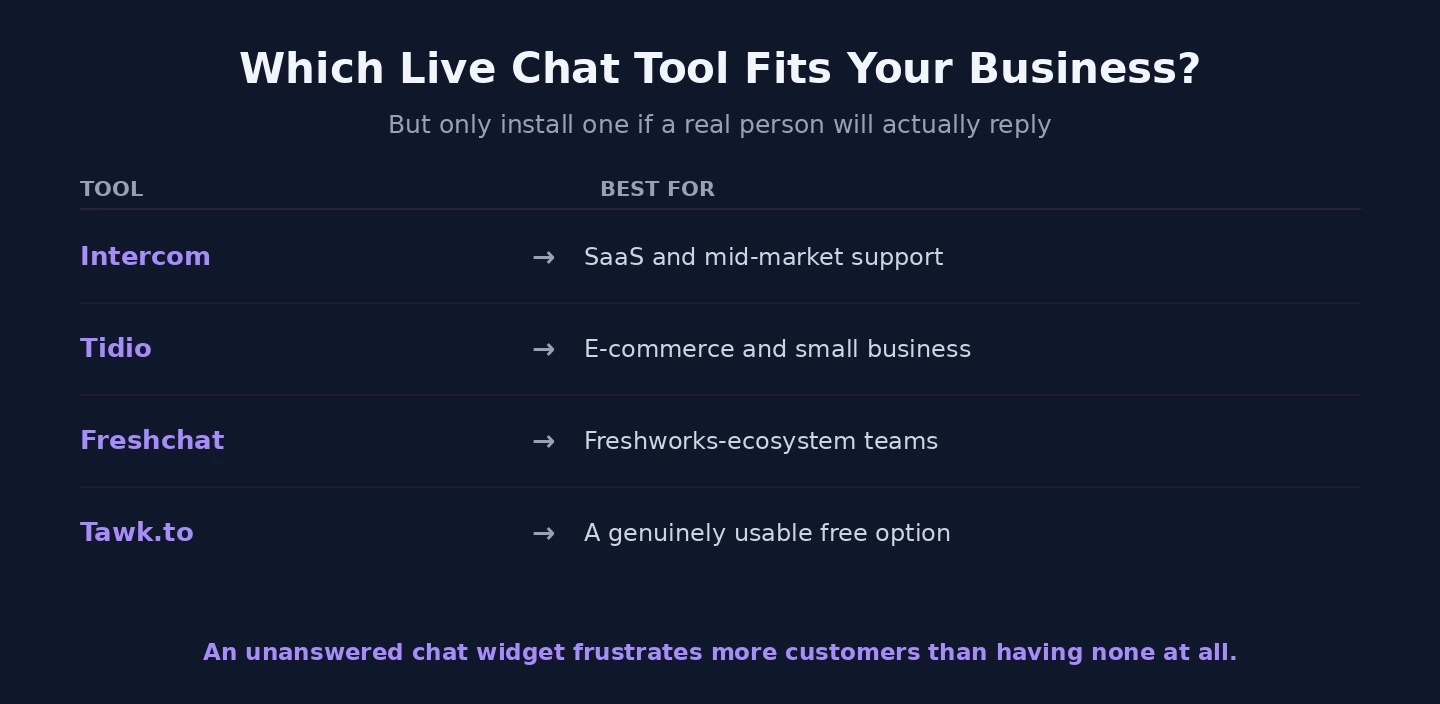
Intercom (Essential plan from $39/seat/month, more for tiers with the features most businesses actually need; intercom.com) is the live chat software platform that has shaped what the category looks like and remains the leader for SaaS businesses and mid-market companies. The platform is genuinely more than live chat — the in-product messaging, the customer engagement campaigns, the help center product, and the increasingly capable AI assistant features make Intercom a category broader than “live chat tool” alone.
The strength for SaaS specifically is the user identification model. Intercom understands users as continuing identities across sessions rather than treating each chat as an anonymous interaction. When a logged-in customer messages, the agent sees their account history, their feature usage, their payment status, and any prior conversations. For software businesses where the value of a chat is heavily dependent on context, this is a substantial advantage over simpler chat tools that treat every conversation as a cold start.
The pricing reality is the honest concern. Intercom’s headline pricing tends to be quoted at tiers that lack the features most businesses actually need (automation, advanced analytics, the Fin AI agent capability). Real-world cost for a serious deployment tends to be $200 to $1000+ per month for a small team, depending on tier and seat count. For SaaS businesses where customer success and support are revenue-critical, the cost is usually justified. For e-commerce businesses with simpler needs, Intercom is often overkill.
The other consideration is the platform’s strategic positioning. Intercom has been pushing AI-first interaction patterns through the Fin product, which is genuinely useful for some businesses and a misfit for others. Teams that want fewer human conversations and more automated resolution find Fin compelling; teams that view chat as a high-touch human experience find the AI emphasis intrusive.
Tidio: The Right Pick for E-commerce and Small Business
Tidio (free for limited use, Starter plan from $29/month; tidio.com) has become the live chat software I recommend most consistently for e-commerce stores and small businesses where the use case is “respond quickly to pre-sale questions and recover abandoning customers.” The pricing model is per-conversation rather than per-seat, which works better for small teams where one or two people handle all chat across multiple sites or channels.
The strengths for the e-commerce use case are real. Integrations with Shopify, WooCommerce, and BigCommerce expose product and order data inside the chat interface, so an agent answering “where is my order?” can see the order status without switching apps. The chatbot builder is genuinely usable without engineering effort — small businesses can build basic FAQ automation and lead-capture flows in an afternoon. The visitor list view shows who is currently on the site and what page they are viewing, which enables proactive outreach for the businesses that want to do it.
The case against Tidio for SaaS or enterprise is the same as the case for it in e-commerce — the product is optimised for transactional commerce flows, not the longer customer-relationship model of SaaS. The reporting and integration depth is lighter than Intercom’s. For larger teams with serious support operations, Tidio gets outgrown.
Freshchat: The Right Pick for Freshworks-Ecosystem Businesses
Freshchat (free for up to 100 contacts, Growth plan from $19/user/month; freshworks.com/chat) is the live chat software within the Freshworks suite and the obvious choice for businesses already running Freshdesk for tickets or other Freshworks products. The integration value is the deciding factor: chats and tickets share the same customer record, customer history is unified across channels, and the admin experience is consistent across the Freshworks product family.
Outside the Freshworks ecosystem, Freshchat is competent but does not stand out. The chatbot builder is functional, the multi-channel support (chat, WhatsApp, Facebook Messenger, in-app messaging) is solid, the reporting is reasonable. The features compete adequately with Intercom and Tidio without distinctly winning in any category. The reason to pick Freshchat is platform consolidation rather than standalone product superiority.
The pricing positioning is competitive — Growth plan at $19 per user per month is meaningfully cheaper than Intercom and aligned with the Freshworks model of bundling capability at reasonable per-seat costs. For businesses building toward the Freshworks ecosystem, Freshchat is the natural pick. For businesses already on other ecosystems, it is rarely the right choice as a standalone product.
Tawk.to: The Free Option That Is Actually Usable
tawk.to (free, with paid options for branding removal and AI features; tawk.to) is the unusual free product that is genuinely good rather than a limited demo of a paid product. The core live chat functionality is included without limits, integrates with major platforms, supports multiple agents, includes mobile apps for monitoring chat on the go, and works well enough that small businesses and freelance operations use it as their permanent solution rather than as a transitional choice.
The business model is honest: tawk.to monetises through optional paid services like hired chat agents (their hired-agent service is competitively priced for businesses that want to outsource the staffing problem), branding removal, and advanced AI features. The base product remains free.
The case for tawk.to specifically: very small businesses, side projects, early-stage startups before pricing makes the paid alternatives sensible, and businesses where live chat is a “nice to have” rather than a critical revenue channel. The case against is that the interface is dated compared to the polished paid alternatives, integrations are fewer, and the reporting depth is limited.
The honest assessment: if budget is genuinely the constraint, tawk.to works. If there is any budget for a paid alternative, Tidio or Freshchat will produce a better experience for both agents and customers.
The Specialists Worth Knowing About
Beyond the four covered above, the live chat software category has several specialists worth knowing about for specific cases.

Zendesk Messaging (built into Zendesk Suite plans; zendesk.com) is the natural choice for businesses already on Zendesk for support tickets, with the same integration logic that applies to Freshchat within Freshworks. Drift positions itself as a sales-focused chat tool with stronger lead qualification and routing features for B2B businesses with longer sales cycles. LiveChat (the company, confusingly named “LiveChat”) is the established competitor to Intercom in the mid-market segment with a more traditional product positioning and somewhat lower pricing. Crisp offers a multi-channel approach focused on small businesses and freelancers, with capabilities similar to Tidio at competitive pricing.
The pattern in this category is that the differentiation between the established players has narrowed substantially over the last few years. The major decisions in the live chat software category are about ecosystem alignment (which other tools is your team already using) and use-case fit (e-commerce versus SaaS versus B2B sales) rather than feature-by-feature comparisons.
AI Chatbots: Where They Help and Where They Hurt
The AI chatbot capability included with most modern live chat tools deserves a separate honest discussion because the marketing oversells what it currently does well.
The cases where AI chat genuinely helps: routing inbound chats to the right human agent based on the question; answering simple FAQ-style queries that have stable answers documented in your help center (shipping costs, return policies, basic account questions); pre-qualifying leads by asking structured questions before routing to sales; and handling chats outside business hours by capturing the question and promising human follow-up rather than leaving the visitor with nothing.
The cases where AI chat hurts customer experience: any question requiring genuine judgement or empathy (frustrated customers, complex account issues, anything sensitive), specific information that the AI may hallucinate (pricing for customised plans, status of specific orders, technical details requiring product knowledge), and any interaction where the customer has already tried to find the answer elsewhere and is escalating to a human conversation for a reason.
The implementation pattern that works: AI as the first-line filter for clearly routine queries with human escalation as a prominent and easy option, never AI as the only path with human contact buried or unavailable. The dark pattern of using AI to prevent humans from being reached is reliably destructive to customer relationships, and the businesses that deploy this way usually see measurable declines in customer satisfaction within 6 to 12 months. For businesses managing the broader customer relationship stack, our small business CRM comparison covers the system that integrates with chat for sustained customer history.
Operational Patterns That Actually Work
For businesses that have decided to commit to live chat software properly, the operational patterns that produce sustained value over the first year of deployment.
Set realistic response time targets and publish them. Customers tolerate a 5-minute wait for a real answer better than they tolerate an “I’m online” indicator that goes unanswered for 30 minutes. The publication of expectations (“typical response within 5 minutes during business hours”) reduces frustration even when the wait happens.
Use status indicators honestly. The “online” status that means “this widget exists and a server is running” rather than “an agent is actively staffing chat right now” trains customers to distrust your status. Configure status to reflect actual staffing reality, and set offline mode genuinely outside business hours rather than letting the widget claim online status when no one is monitoring.
Build a chat-to-ticket workflow rather than leaving chats as standalone. Conversations that need follow-up should become tickets in your help desk system with the chat history attached, not lingering open chats that scroll out of view. Our help desk software comparison covers the ticket layer that should sit alongside chat for any operation with meaningful volume.
Measure outcomes, not activity. Chat volume is not a success metric — it can rise because customers cannot find answers in your documentation. The metrics that matter are resolution rate, customer satisfaction post-chat, and trend in support volume per active user. A successful live chat deployment often produces decreasing chat volume over time as customers find answers through better documentation, not increasing volume.
Mobile and After-Hours Considerations
One detail that small teams underestimate during evaluation: how the chosen live chat software handles mobile monitoring and after-hours coverage. The reality of small business operations is that staffing chat strictly during stated business hours produces good experiences during those hours and zero coverage outside them. Most of the platforms covered here have mobile apps that let an agent monitor chat from a phone — useful for catching urgent inbound messages outside normal hours without committing to full evening or weekend staffing. The quality of these mobile experiences varies substantially. Tidio and Freshchat both have polished mobile apps that work well for casual monitoring. Intercom’s mobile app is competent but optimised for full-time agent use rather than ad-hoc monitoring. tawk.to has reasonable mobile apps despite the free price point. Test mobile workflows before committing if after-hours coverage matters for your business.
The Practical Decision
For most businesses ready to commit to staffing live chat properly, the choice is straightforward. SaaS businesses with mid-market or larger customer bases should default to Intercom. E-commerce and small business operations should default to Tidio. Businesses already on Freshworks should pick Freshchat for the integration value. Businesses on Zendesk should similarly default to Zendesk Messaging. Very small operations and side projects with no budget can genuinely use tawk.to as a permanent solution. The specialists make sense for specific cases (Drift for B2B sales with long cycles, LiveChat for mid-market with traditional preferences). The decision matters less than the operational commitment behind it — every platform in this category can succeed or fail depending on the staffing and process around it. Our email marketing software comparison covers the related communication channel that often handles the cases where live chat is not staffed, and our survey software comparison covers the related feedback collection layer for businesses building a complete voice-of-customer practice.